• Recent
    • Docs
    • Github
    • 百度网盘
    • Google
    • Official
    • Shop
    • Register
    • Login
    1. Cool Pi For You
    2. george
    3. Posts
    G
    • Profile
    • Following 0
    • Followers 4
    • Topics 73
    • Posts 886
    • Groups 2

    Posts

    Recent Best Controversial
    • RE: coolpi 4b support ov5647 camera module

      @大法师 The latest ubuntu22.04 image can already support this camera.

      • 20230210-ubuntu-22.04-preinstalled-desktop-arm64-coolpi.rar

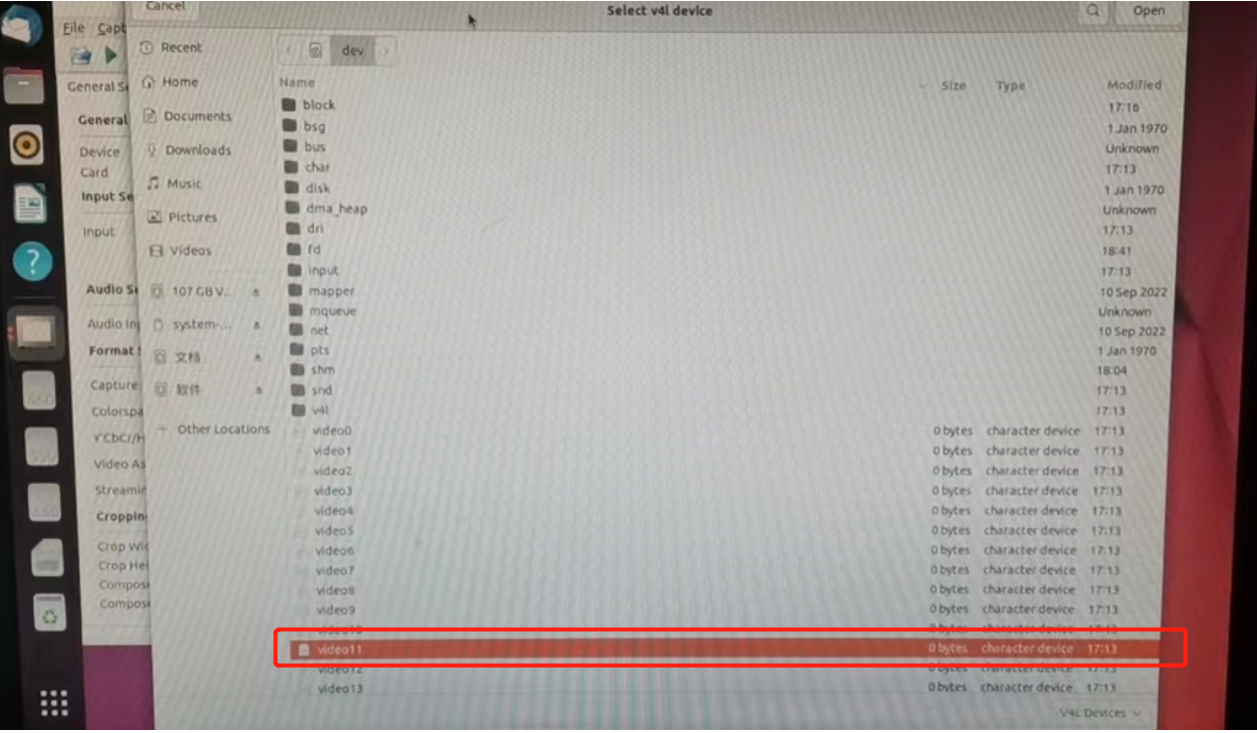
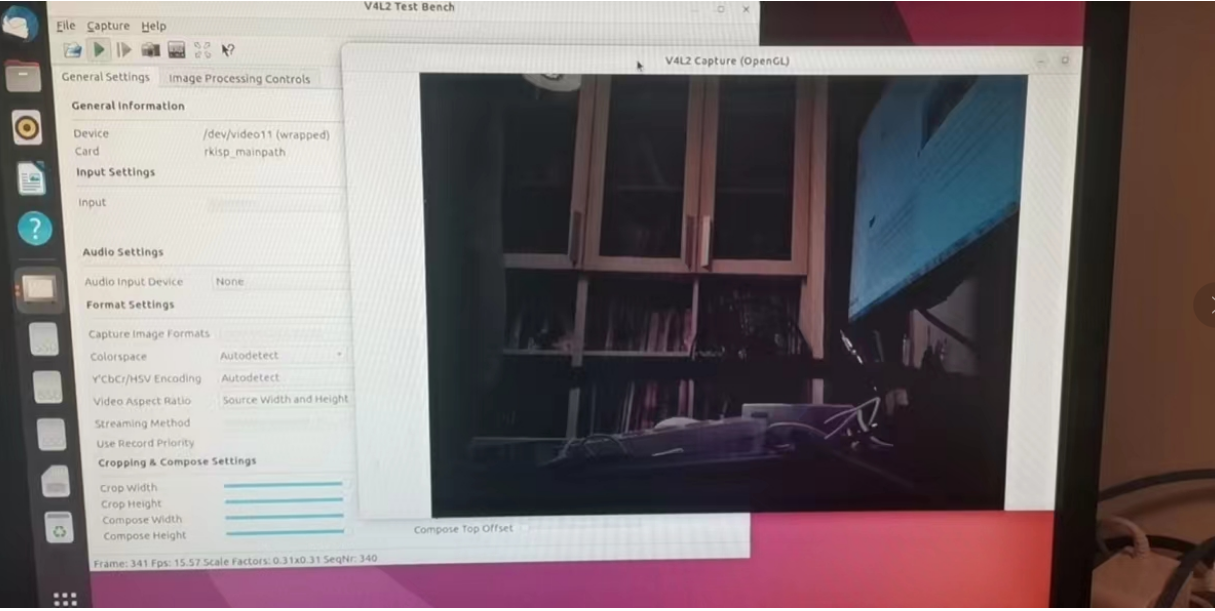
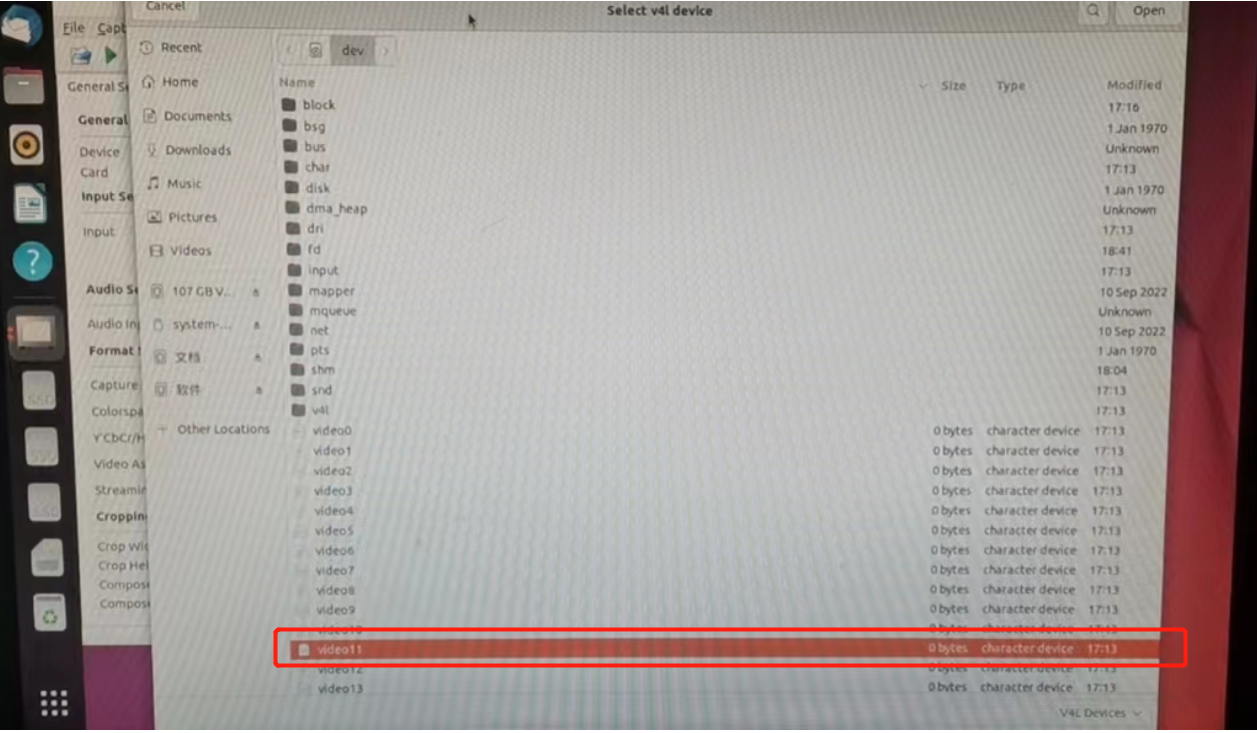
      • V4L2-TEST can start the camera by operating the video11 node

      175f6719-6fa9-4acb-bc1e-b9c2fbf623f5-image.png 0ef06ad8-64c6-4d7c-b1a2-4f62d01ea452-image.png

      eee2850d-a5d9-44c1-9d07-fcda02649720-image.png

      posted in Peripheral
      G
      george
    • RE: 今天已经2月中旬了,所以 CM5 啥时候出来?

      @jack_admin 那款是定制的MINIPC,CM5的底板是完全重新设计的,接口非常齐全,基本接口下周可以发出来。

      posted in Pi CM5
      G
      george
    • RE: 镜像制作

      @ccjjww1222 可以通过脚本把你做好的系统备份一下。

      posted in Ubuntu
      G
      george
    • RE: 请问coolpi 4b 电源输入功率多大合适,有电流保护吗?

      @xws 部分适配器功率切换瞬间会掉电,会导致机器重启。

      posted in Peripheral
      G
      george
    • RE: How to use Coolpi 4b RTC

      @tonyone0902

      • RTC spare battery specification MS621FE-FL11E_2017-08-18.PDF

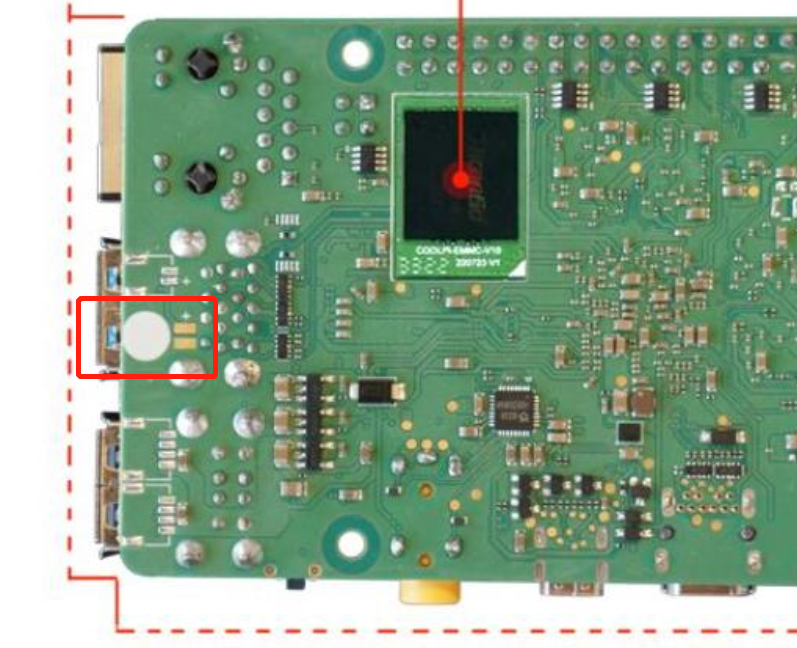
      • Welding position c5fe17e7-aad7-4064-b762-60c686cc945b-image.png

      posted in Peripheral
      G
      george
    • RE: Coolpi 4B armbian support

      @tonyone0902 确认loaer有没有更新到最新,可以按照下图链接更新:https://www.cool-pi.com/topic/162/how-to-upgrade-the-boot-loader-of-coolpi-4b?_=1675398036886

      posted in Armbian
      G
      george
    • RE: Coolpi 4B armbian support

      @tonyone0902 卡格式化一下重新制作。

      posted in Armbian
      G
      george
    • RE: 自动连接WIFI

      @ccjjww1222 shell输出命令,然后把edid.bin上传:
      cat /sys/class/drm/card0-HDMI*/edid > /data/edid.bin

      posted in Ubuntu
      G
      george
    • RE: 是否有 pin22 & pin24 接 Dmic Example?
      • DTS is modified as follows
      diff --git a/arch/arm64/boot/dts/rockchip/rk3588s-cp4.dts b/arch/arm64/boot/dts/rockchip/rk3588s-cp4.dts
      index dc232a407a8c..da9796bfe7a3 100755
      --- a/arch/arm64/boot/dts/rockchip/rk3588s-cp4.dts
      +++ b/arch/arm64/boot/dts/rockchip/rk3588s-cp4.dts
      @@ -223,6 +223,24 @@ codec {
                       };
               };
       
      +       pdmics: dummy-codec {
      +        status = "okay";
      +        compatible = "rockchip,dummy-codec";
      +        #sound-dai-cells = <0>;
      +    };
      +
      +    pdm_mic_array: pdm-mic-array {
      +        status = "okay";
      +        compatible = "simple-audio-card";
      +        simple-audio-card,name = "rockchip,pdm-mic-array";
      +        simple-audio-card,cpu {
      +            sound-dai = <&pdm1>;
      +        };
      +        simple-audio-card,codec {
      +            sound-dai = <&pdmics>;
      +        };
      +    };
      +       
              leds: leds {
                      compatible = "gpio-leds";
                      pinctrl-names = "default";
      @@ -944,6 +962,14 @@ &route_hdmi0 {
              status = "okay";
       };
       
      +&pdm1 {
      +    status = "okay";
      +    rockchip,path-map = <0 1 2 3>;
      +    #sound-dai-cells = <0>;
      +    pinctrl-names = "default";
      +    pinctrl-0 = <&pdm1m1_clk &pdm1m1_sdi1>;
      +};
      +
       &i2c0 {
              status = "okay";
              pinctrl-names = "default";
      @@ -1301,7 +1327,7 @@ ir_key1 {
       
       &spi0 {
              pinctrl-names = "default";
      -       status = "okay";
      +       status = "disabled";
       
              max-freq = <48000000>; /* spi internal clk, don't modify */
               spi_dev@0 {
      
      • Device information
      coolpi@Ubuntu:~$ arecord -l
      **** List of CAPTURE Hardware Devices ****
      card 2: rockchipes8316c [rockchip,es8316-codec], device 0: fe470000.i2s-ES8316 HiFi es8316.7-0010-0 [fe470000.i2s-ES8316 HiFi es8316.7-0010-0]
        Subdevices: 1/1
        Subdevice #0: subdevice #0
      card 3: rockchippdmmica [rockchip,pdm-mic-array], device 0: fe4c0000.pdm-dummy_codec dummy-codec-0 [fe4c0000.pdm-dummy_codec dummy-codec-0]
        Subdevices: 1/1
        Subdevice #0: subdevice #0
      
      posted in Hardware
      G
      george
    • RE: [ ubutnu 22.04 ] AP+STA mode 似乎無法同時啟用?

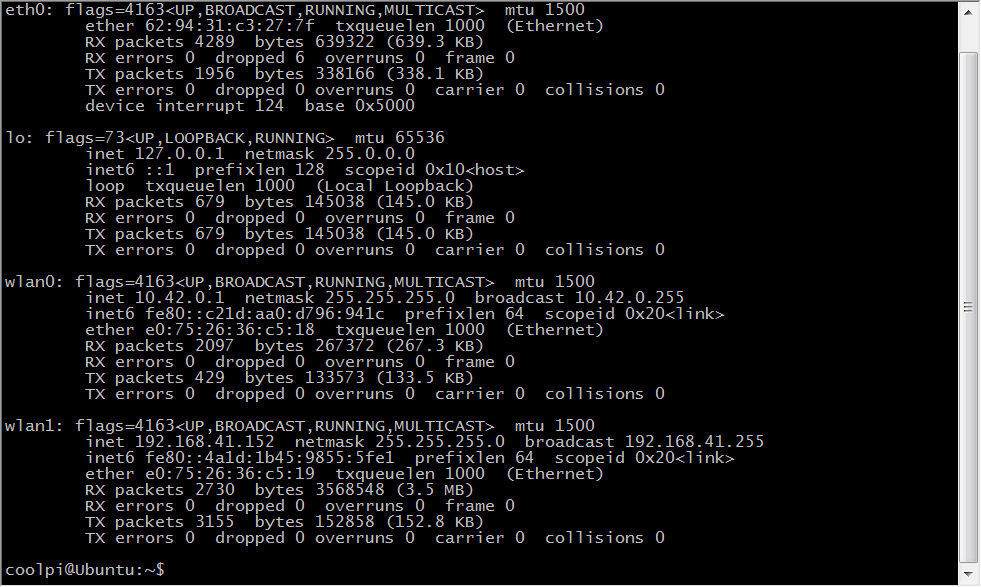
      内核已经更新,同步develop代码到最新,编译替换内核,KO文件解压到/lib/modules目录,重启机器会看到两个WIFI节点。
      7ab4819e-37fc-4a97-83e4-20e42016d7fa-image.png
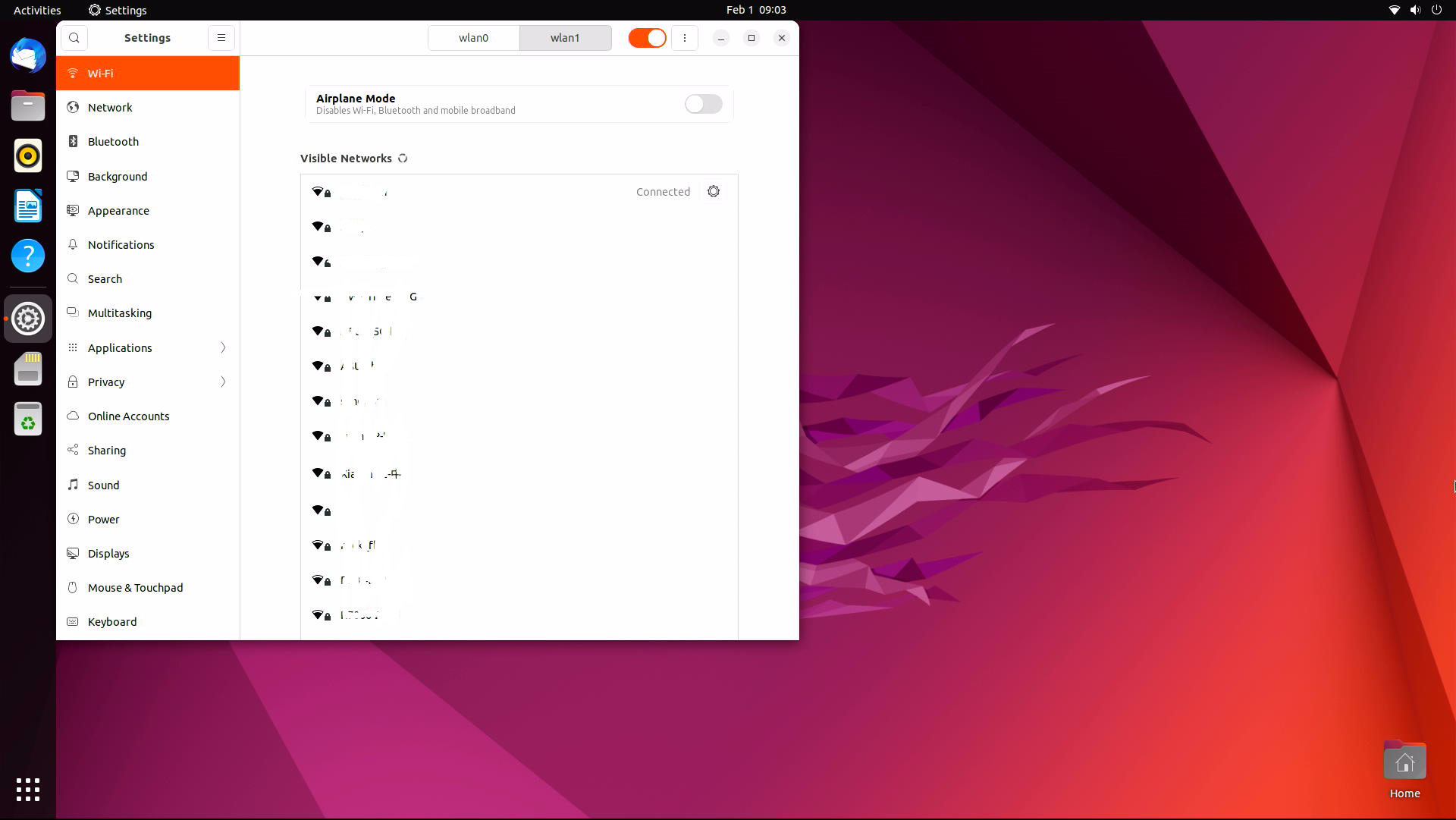
      使用其中一个连接外网
      7850a016-4711-44c5-90b8-fcf923704241-image.png
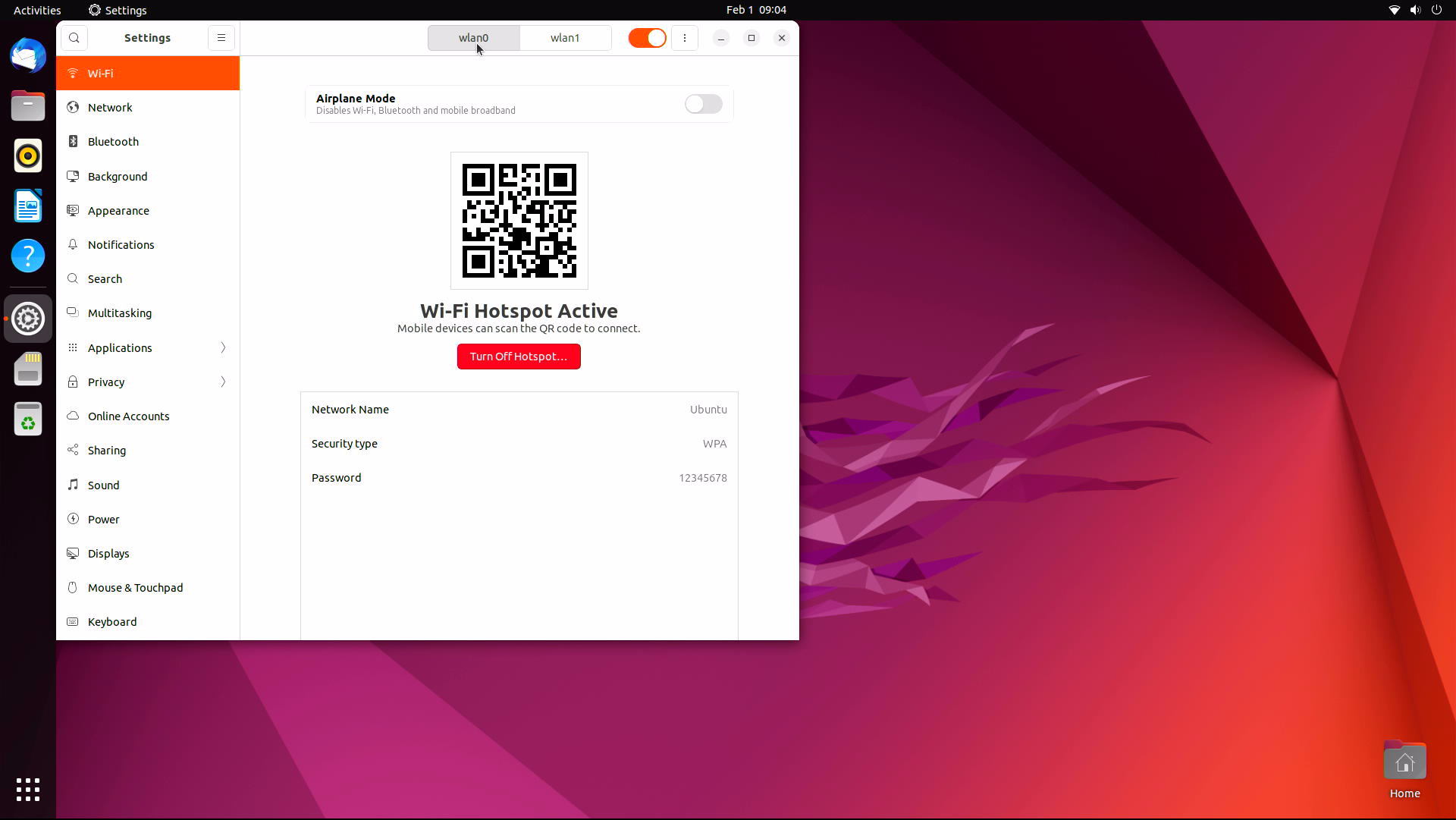
      另外一个可以作为热点
      448c111f-6dca-4be2-8016-d80619b31231-image.png

      posted in Ubuntu
      G
      george
    • RE: [ ubutnu 22.04 ] AP+STA mode 似乎無法同時啟用?

      @tonyone0902 STA+AP共存驱动部分需要更新。我们尽快处理,请留意内核更新。

      posted in Ubuntu
      G
      george
    • RE: ubuntu 22.04 chromium-browser 打開後,會直接重新啟動

      @tonyone0902 使用支持TYPEC PD或者QC协议的电源适配器,会默认诱导输出12V电压,如果适配器没有12V的档位,会降低到9V。使用普通的5V适配器实际输出就是5V。

      posted in Ubuntu
      G
      george
    • RE: How to drive a TTL (RGB) interface LCD

      @retroman Has been updated, please check.

      posted in Hardware
      G
      george
    • RE: Keep going

      @顾真牛 谢谢你的建议。后续考虑支持。

      posted in Construction
      G
      george
    • How to drive a edp interface LCD

      There are many options for LCD with Cool Pi driving edp interface.

      • DP directly drives edp
        The two protocols are basically the same. At present, only a few edp interface screens can not be lit normally according to the test results.
      DP PIN number Signal edp Signal
      16 DP_AUXP eDP_AUXP
      18 DP_AUXN eDP_AUXN
      3 DP_TX0P eDP_TX0P
      5 DP_TX0N eDP_TX0N
      9 DP_TX1P eDP_TX1P
      11 DP_TX1N eDP_TX1N
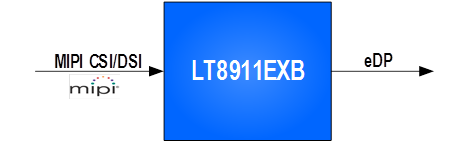
      • Mipi dsi to edp
        Specification LT8911EXB_Datasheet_R1.0.pdf
        d32135ca-bced-4917-a233-a77d521741b5-image.png

      • HDMI interface direct drive
        The RK3588S HDMI interface can be compatible with HDMI or edp functions. By modifying the DTS configuration, the HDMI interface signal can be directly used as an edp signal. The following figure lists the corresponding relationship between HDMI and edp signals.

      HDMI PIN number Signal edp Signal
      2 HDMI0_SBDP eDP_AUXP
      1 HDMI0_SBDN eDP_AUXN
      9 HDMI0_TX0P_PORT eDP_TX0P
      11 HDMI0_TX0N_PORT eDP_TX0N
      6 HDMI0_TX1P_PORT eDP_TX1P
      8 HDMI0_TX1N_PORT eDP_TX1N
      3 HDMI0_TX2P_PORT eDP_TX2P
      5 HDMI0_TX2N_PORT eDP_TX2N
      12 HDMI0_TX3P_PORT eDP_TX3P
      14 HDMI0_TX3N_PORT eDP_TX3N
      posted in Hardware
      G
      george
    • How to drive a TTL (RGB) interface LCD

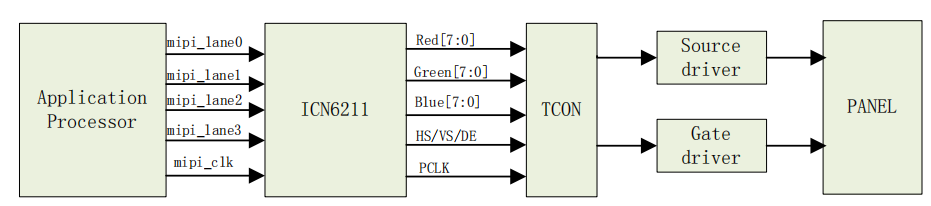
      Cool Pi does not have a TTL interface. If you want to drive a TTL interface screen, you need to use a bridge chip. At present, the MIPI to TTL interface chip supports ICN6211 by default. The following details how to use ICN6211 to drive a TTL interface LCD module.

      • Specification
        ICN6211_mipi2rgb.brd
        MIPI_RGB_162.DSN
        ICN6211_MIPI_RGB_specification_V04.pdf

      • Block diagram
        75c6d71e-2ba0-4bc2-a121-22d6f3d09c90-image.png

      • DTS configuration
        Enable the following nodes,mipi_dcphy0 dsi0 dsi0_in_vp3 backlight pwm13 .

      &mipi_dcphy0 {
      	status = "okay";
      };
      
      &dsi0 {
      	status = "okay";
      	dsi0_panel: panel@0 {
      		status = "okay";
      		compatible = "simple-panel-dsi";
      		reg = <0>;
      		backlight = <&backlight>;
      		reset-delay-ms = <60>;
      		enable-delay-ms = <60>;
      		prepare-delay-ms = <60>;
      		unprepare-delay-ms = <60>;
      		disable-delay-ms = <60>;
      		dsi,flags = <(MIPI_DSI_MODE_VIDEO | MIPI_DSI_MODE_VIDEO_BURST |
      			MIPI_DSI_MODE_LPM | MIPI_DSI_MODE_EOT_PACKET)>;
      		dsi,format = <MIPI_DSI_FMT_RGB888>;
      		dsi,lanes  = <2>;
      		panel-init-sequence = [
      	    23 00 02 7A C1
      	    23 00 02 20 20
      	    23 00 02 21 E0
      	    23 00 02 22 13
                  23 00 02 23 08
                  23 00 02 24 04
                  23 00 02 25 08
                  23 00 02 26 00
                  23 00 02 27 08
                  23 00 02 28 04
                  23 00 02 29 08
                  23 00 02 34 80
                  23 00 02 86 29
                  23 00 02 B5 A0
                  23 00 02 5C FF
                  23 00 02 2A 01
                  23 00 02 56 92
                  23 00 02 6B 71
                  23 00 02 69 15
                  23 00 02 10 40
                  23 00 02 11 88
                  23 00 02 B6 20
                  23 00 02 51 20
                  23 00 02 09 10
      	    05 78 01 11
      	    05 1E 01 29
      		];
      
      		panel-exit-sequence = [
      			05 00 01 28
      			05 00 01 10
      		];
      
      		disp_timings0: display-timings {
      			native-mode = <&dsi0_timing0>;
      			dsi0_timing0: timing0 {
      				clock-frequency = <25000000>;
      				hactive = <800>;
      				vactive = <480>;
      				hfront-porch = <8>;
      				hsync-len = <4>;
      				hback-porch = <8>;
      				vfront-porch = <8>;
      				vsync-len = <4>;
      				vback-porch = <8>;
      				hsync-active = <0>;
      				vsync-active = <0>;
      				de-active = <0>;
      				pixelclk-active = <0>;
      			};
      		};
      
      		ports {
      			#address-cells = <1>;
      			#size-cells = <0>;
      
      			port@0 {
      				reg = <0>;
      				panel_in_dsi: endpoint {
      					remote-endpoint = <&dsi_out_panel>;
      				};
      			};
      		};
      	};
      
      	ports {
      		#address-cells = <1>;
      		#size-cells = <0>;
      
      		port@1 {
      			reg = <1>;
      			dsi_out_panel: endpoint {
      				remote-endpoint = <&panel_in_dsi>;
      			};
      		};
      	};
      
      };
      
      &dsi0_in_vp3 {
      	status = "okay";
      };
      
      &backlight {
      	pwms = <&pwm13 0 25000 0>;
      	status = "okay";
      };
      
      &pwm13 {
      	status = "okay";
      	pinctrl-names = "active";
      	pinctrl-0 = <&pwm13m2_pins>;
      };
      
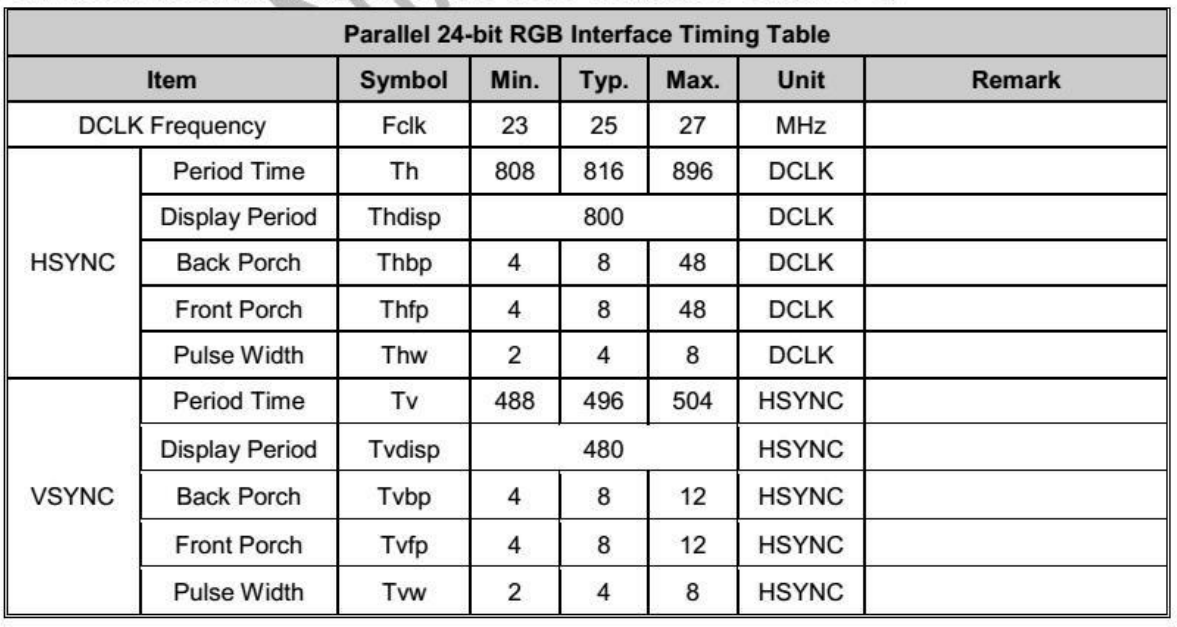
      • Configure lcdc parameters according to LCD specifications.
        LCD specification 5inch DSI LCD (B).pdf
        adbaa55e-ce50-4a5f-9d53-f499057c54ff-image.png
      		disp_timings0: display-timings {
      			native-mode = <&dsi0_timing0>;
      			dsi0_timing0: timing0 {
      				clock-frequency = <25000000>;
      				hactive = <800>;
      				vactive = <480>;
      				hfront-porch = <8>;
      				hsync-len = <4>;
      				hback-porch = <8>;
      				vfront-porch = <8>;
      				vsync-len = <4>;
      				vback-porch = <8>;
      				hsync-active = <0>;
      				vsync-active = <0>;
      				de-active = <0>;
      				pixelclk-active = <0>;
      			};
      		};
      
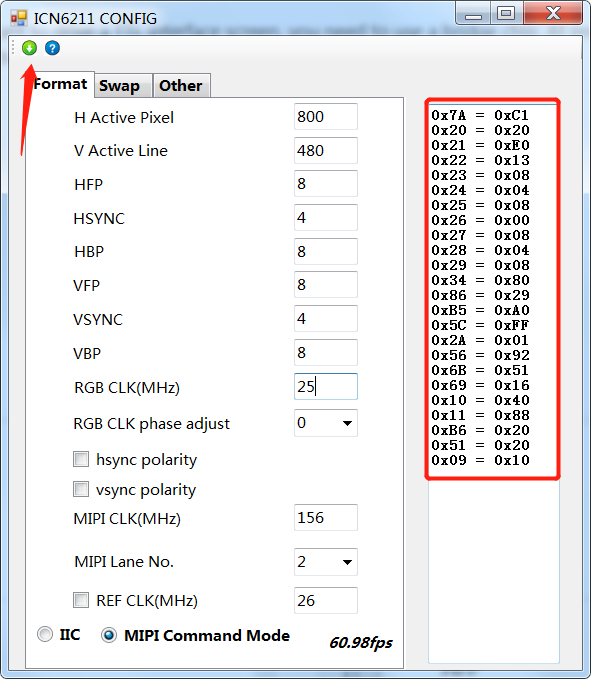
      • Generate the initialization sequence of ICN6211 according to the LCD specification.
        ICN6211 initialization tool ICN6211 Config.rar
      c11bfbc5-e02c-4823-be27-ef4fb1e390e7-image.png
      Copy the initialization sequence to DTS according to the command format of rockchip.
      Command format description:
      23 00 02 7A C1
      [Command word] [Delay] [Packet length] [Register] [Value]
      Note that the last 11 29 command is reserved. This is the DSI standard command to open the display.

      panel-init-sequence = [
      	    23 00 02 7A C1
      	    23 00 02 20 20
      	    23 00 02 21 E0
      	    23 00 02 22 13
                  23 00 02 23 08
                  23 00 02 24 04
                  23 00 02 25 08
                  23 00 02 26 00
                  23 00 02 27 08
                  23 00 02 28 04
                  23 00 02 29 08
                  23 00 02 34 80
                  23 00 02 86 29
                  23 00 02 B5 A0
                  23 00 02 5C FF
                  23 00 02 2A 01
                  23 00 02 56 92
                  23 00 02 6B 71
                  23 00 02 69 15
                  23 00 02 10 40
                  23 00 02 11 88
                  23 00 02 B6 20
                  23 00 02 51 20
                  23 00 02 09 10
      	    05 78 01 11
      	    05 1E 01 29
      		];
      
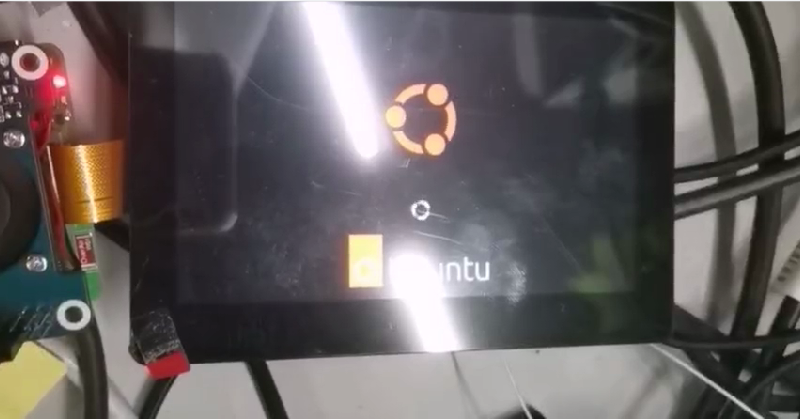
      • The TTL signal can be output normally by recompiling and replacing the kernel.
        d57ec46e-ecd1-42a1-8275-15155403e0e8-image.png
      posted in Hardware
      G
      george
    • RE: Coolpi 4B armbian support

      @retroman The latest firmware is temporarily not compatible with the V10 version of WIFI and BT configurations. This problem will be solved as soon as possible. Please pay attention to the update.

      posted in Armbian
      G
      george
    • RE: 請教如何 grub 更改螢幕解析度?

      @tonyone0902 上传图片上来看看,HDMI正常是按照EDID来选择分辨率,手动选择之后是可以保存的。不太清楚画面变胖是什么意思?

      posted in Ubuntu
      G
      george
    • RE: Coolpi 4B armbian support

      @retroman said in Coolpi 4B armbian support:

      Vulkan

      Sorry, Vulkan is not supported for the time being. Please pay attention to the following updates.

      posted in Armbian
      G
      george
    • RE: UVC相机接入gstreamer mpp初始化失败

      @kingpin1cn 系统固件版本?

      posted in Ubuntu
      G
      george
    • 1 / 1