@jugg 确认摄像头支持的格式,分辨率,帧率?是否OK
G
Posts
-
gstreamer video frameworkposted in Ubuntu
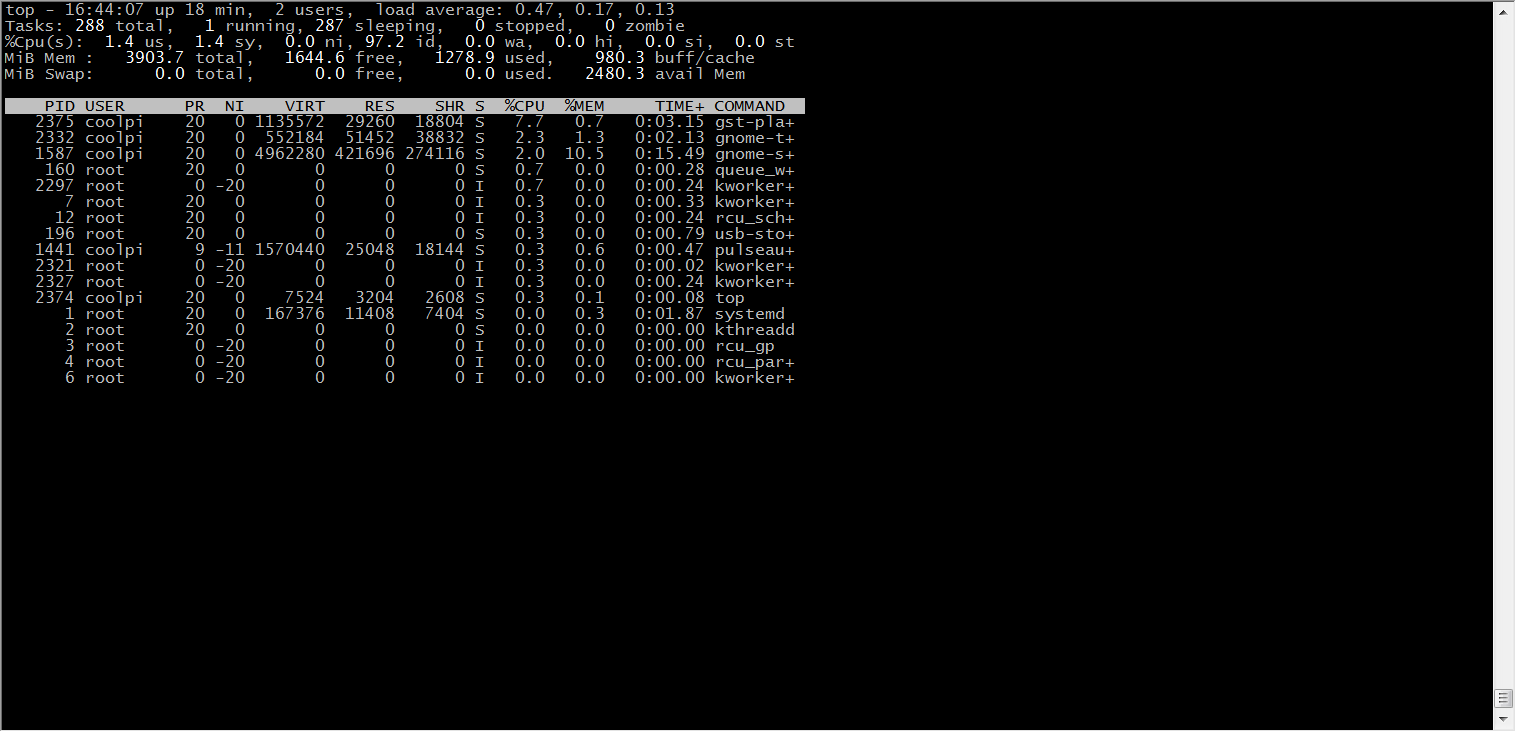
The latest ubuntu22.04 firmware(20230303-ubuntu-22.04-preinstall-desktop-arm64) integrates ffmpeg and gstreamer video frames, and can call the hardware codec module of Rockchip, which can greatly improve the video codec performance of the device and reduce the CPU load.
-
With kmssink, the CPU utilization of 4K video playback is reduced to about 10%.The disadvantage is that it occupies one layer.
-
The following command can obtain layer information.
sudo cat /sys/kernel/debug/dri/0/state | grep "plane"- Use the following command to play the video and replace xxx.mp4 with the actual path. 88 represents the layer, kmssink only supports the display of Esmart layer.
gst-play-1.0 xxx.mp4 --videosink='kmssink plane-id=88'- You can also use other plug-ins, such as xvimagesink glimagesink waylandsink, etc.

-
-
RE: 双4K usb摄像头posted in Hardware
@jugg 两路4K解码+1路编码这个从性能来讲是没有问题的。接口部分后续主要以GST为主,这个目前还有一些适配问题在处理中。等后续出稳定版本会在论坛发布。
-
RE: 音视频编解码的demoposted in Ubuntu
@jugg 谢谢你的提议,最近一直在处理GST的兼容性问题,这个弄完以后会考虑上一些实例包。先上传一些底层接口的文档,你可以先看一下。
Rockchip_Developer_Guide_MPP_CN.pdf
Rockchip_Developer_Guide_MPP_EN.pdf
Rockchip_Developer_Guide_RGA_CN.pdf
Rockchip_Developer_Guide_RGA_EN.pdf
Rockchip_User_Guide_Linux_Gstreamer_CN.pdf
Rockchip_User_Guide_Linux_Gstreamer_EN.pdf -
RE: 音视频编解码的demoposted in Ubuntu
@jugg 可以使用FFMPEG,解码部分已经集成硬件解码,GST部分插件也可以调用到rkmpp解码,也可以直接调用RKMPP,这个需要自行研究一下文档。关于裁剪缩放效率问题可以考虑使用RGA硬件加速模块。
-
RE: Pi4B使用realsense深度相机开机默认识别为USB2.0设备。重新插拔后才能识别为USB3.0设备。posted in Ubuntu
@Mcfly 从现象看应该是UBOOT下USB驱动不够完善导致的,简单的方法关闭uboot下USB设备的注册,到内核以后再加载USB驱动。或者等我们更新UBOOT代码,这个因为手上暂时没有设备,会稍微慢一些。
-
RE: Coolpi 4b Ubuntu20.04 原生系统posted in Ubuntu
@myhexb 这个是镜像没有制作成功。如果有读卡器可以先格式化一次卡,然后再制作,闪迪的卡我一直在用,没有什么问题。
-
RE: Introduction to COOL PI CM5 interfaceposted in Pi CM5
@Twsuts 正常需要初步验证和测试完成以后,底板资料才可以开放。目前核心板已经是稳定版本。
-
RE: Display Portposted in Hardware
@lej40 The DP interface cannot be configured as a USB3.1 interface. If two USB3.1 interfaces are not enough, it can be extended by using an external USB HUB. Two USB2.0 connectors are reserved on the back of the CP4 machine for users to use.
-
RE: Introduction to COOL PI CM5 interfaceposted in Pi CM5
@顾真牛 有标准PCIE接口,USB3.0不够可以扩展。外置4个USB接口,2个U2 两个U3。一般场景可以满足。