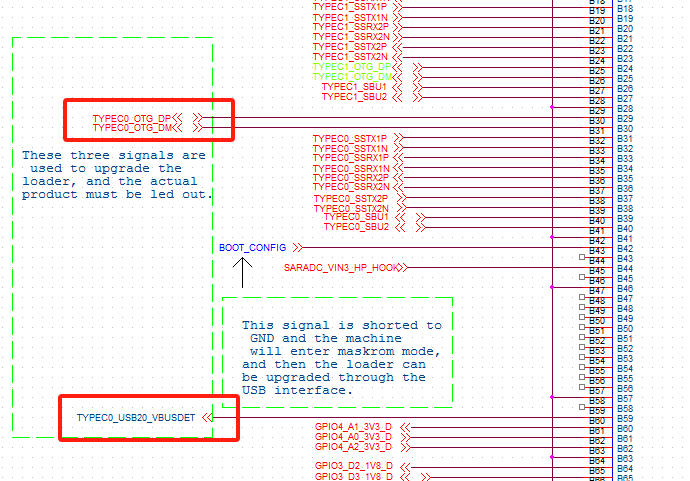
@hangman tf卡优先级高于EMMC。
G
Posts
-
RE: 可不可以把emmc中的系统通过dd指令备份到tf卡中,随后在新的coolpi板子上只插入tf卡实现系统迁移?posted in Pi 4B
@hangman etcher会格式化,不需要单独处理。
-
RE: 可不可以把emmc中的系统通过dd指令备份到tf卡中,随后在新的coolpi板子上只插入tf卡实现系统迁移?posted in Pi 4B
@hangman
如下脚本放置到U盘或者TF卡中,然后运行就会导出EMMC的系统。导出的镜像可以重新烧录到EMMC或者TF卡中。!# /bin/sh IMAGE_NAME="$(date "+%Y%m%d")-rootfs.img" IMAGE_SIZE=8192 LOOP_NUMBER=$(losetup -f) echo "01:remove firstrun" rm /var/lib/misc/firstrun echo "02:Establishing a mount directory" mkdir ./mnt echo "03:dd image file" dd if=/dev/zero of=./$IMAGE_NAME bs=1M count=$IMAGE_SIZE echo "04:Mirror Partition" printf 'n\np\n1\n32768\n1081343\nn\np\n2\n1081344\n16777215\nw\n' | fdisk ./$IMAGE_NAME echo "05:format partition" partx -a -v ./$IMAGE_NAME mkfs.vfat $LOOP_NUMBER"p1" echo 'yes\n' | mkfs.ext4 $LOOP_NUMBER"p2" echo "06:copy boot files" mount $LOOP_NUMBER"p1" ./mnt cp /boot/firmware/* ./mnt/ -R umount ./mnt echo "07:backup rootfs" rm ./backup.fs dump -0u -f - /dev/mmcblk0p2 >> ./backup.fs echo "08:copy rootfs files" mount $LOOP_NUMBER"p2" ./mnt cd ./mnt restore -rf ../backup.fs umount ./mnt cd ../ e2fsck -p -f $LOOP_NUMBER"p2" resize2fs -M $LOOP_NUMBER"p2" e2label $LOOP_NUMBER"p2" writable losetup -d $LOOP_NUMBER echo "09:backimg ok" fdisk -l ./$IMAGE_NAME -
RE: Laptop USB-C Alt Modeposted in Pi CM5
@anernest Please upload a copy of dmesg information. Thank you.
-
Installing Cockpit on coolpiposted in Pi CM5
- By default, the Cockpit package is included in the Ubuntu 22.04 default repository. You can install it by running the following command:
sudo apt-get install cockpit -y- After installing Cockpit, run the following command to install the Podman module:
sudo apt-get install cockpit-podman -y- After installing Cockpit, start the Cockpit service and have it start when the system reboots:
systemctl start cockpit systemctl enable cockpit- You can also use the following command to check the status of Cockpit:
systemctl status cockpit- You should see the following output:
●cockpit.service - Cockpit Web Service Loaded: loaded (/lib/systemd/system/cockpit.service; static) Active: active (running) since Tue 2023-11-21 08:44:56 UTC; 7min ago TriggeredBy: ● cockpit.socket Docs: man:cockpit-ws(8) Process: 336904 ExecStartPre=/usr/lib/cockpit/cockpit-certificate-ensure --for-cockpit-tls (code=exited, status=0/SUCCESS) Main PID: 336905 (cockpit-tls) Tasks: 3 (limit: 37954) Memory: 1.5M CPU: 358ms CGroup: /system.slice/cockpit.service └─336905 /usr/lib/cockpit/cockpit-tls- At this point, Cockpit has started and is listening on port 9090. You can use the following command to view:
ss -antpl | grep 9090- You should see the following output:
LISTEN 0 0 *:9090 *:*-
Configure a UFW firewall and open port 9090
-
Now, open a web browser and use the URL https://your-server-ip:9090 Access the Cockpit web interface. You should see the Cockpit login page:
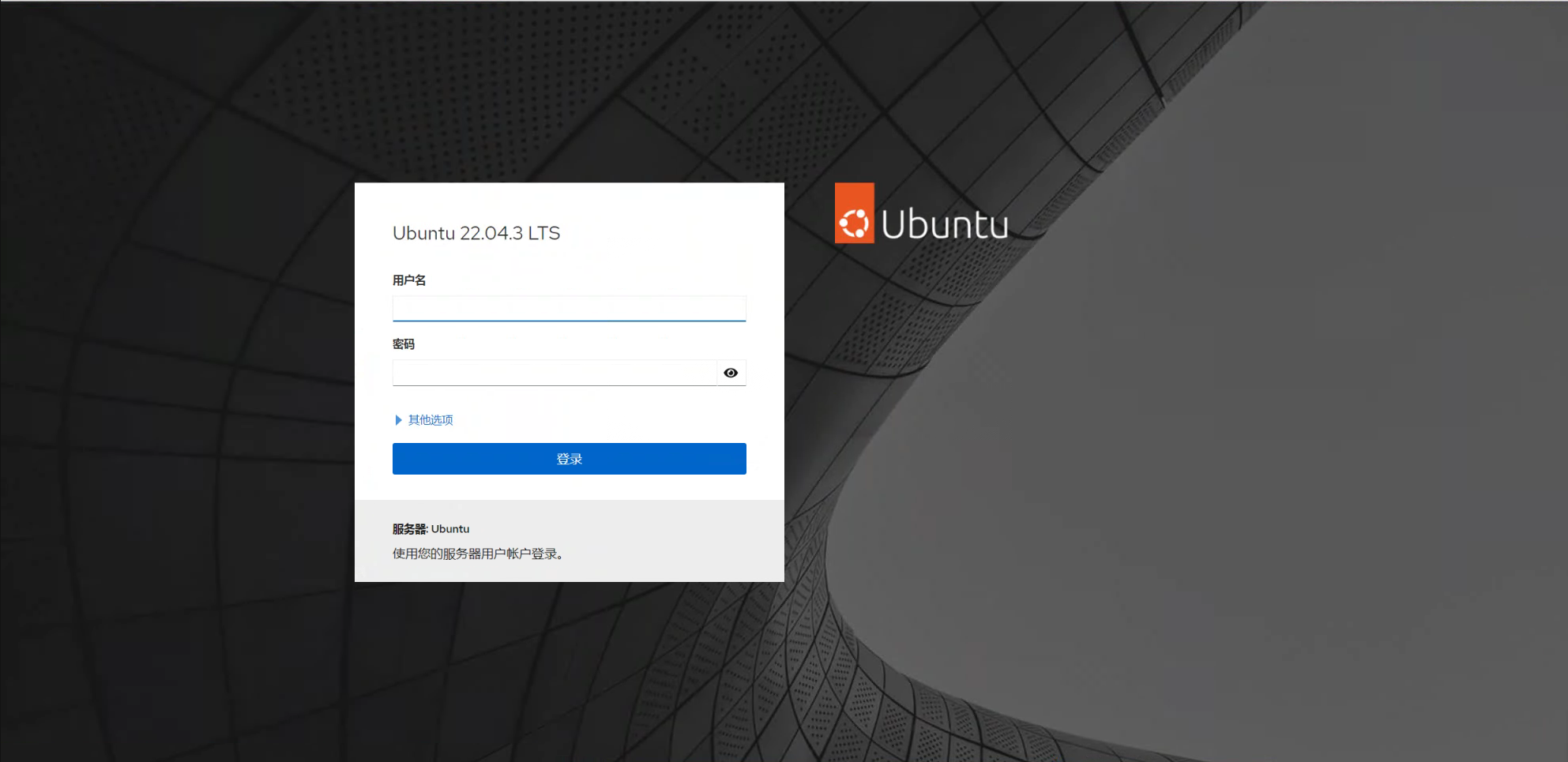
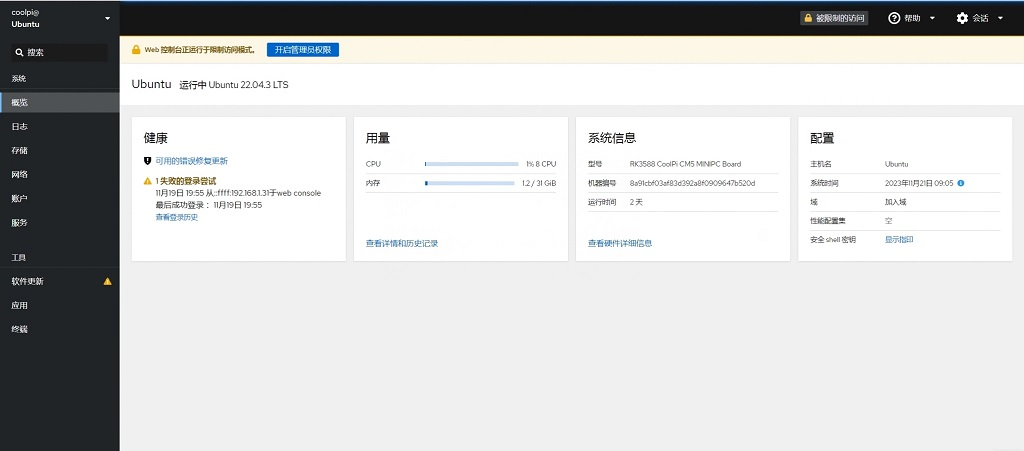
-
RE: 请问,怎么支持usb连接esp32开发板posted in Pi 4B
@airobot机器人开发 好的!正常编译完内核以后需要把modules.tar.gz 解压到文件系统的/lib 目录,这里边主要是一些驱动的ko文件。
-
RE: 编译安装libc库导致不开机posted in Pi 4B
@airobot机器人开发 系统镜像做到TF卡或者U盘里边,默认TF卡或者U盘启动优先级高于EMMC,系统启动后手动挂载EMMC分区就可以导出数据了。
-
RE: Laptop install Ubuntu on nvmeposted in Ubuntu
@Momo-0
Thank you for sharing. If you have any questions during use, I hope you can raise them. Thank you very much for your support. -
RE: 关于RS2CG5705Bposted in Pi CM5
@qys2022
RS这颗物料市场上很少能买到样品,你可以用如下链接的替换型号,功能和PIN定义完全一致:
https://item.szlcsc.com/213171.html