Cool Pi Cm5-Laptop Linux Quick Start Guide
-
@mainbord
Use the following command to generate a deb file and then install it../build-kernel.sh arm64 -
@george said in Cool Pi Cm5-Laptop Linux Quick Start Guide:
Use the following command to generate a deb file and then install it.
It was hard. Now it works but without wi-fi and sound
How to install mainline kernel 6.18?
-
@george Can't finish the job. Btrfs module keeps sending an error when building the modules. The script doesn't finish.
-
Tyied it
https://github.com/armbian/build/pull/8275
from usb and from nand it does not boot. -
@mainbord same here, sadly Armbian isnt booting or else i would already be using it instead of the supplied distros
-
@Momo-0
The official default configuration of ARMBIN's loadaddr and optee conflicts and needs to be modified to 0x200000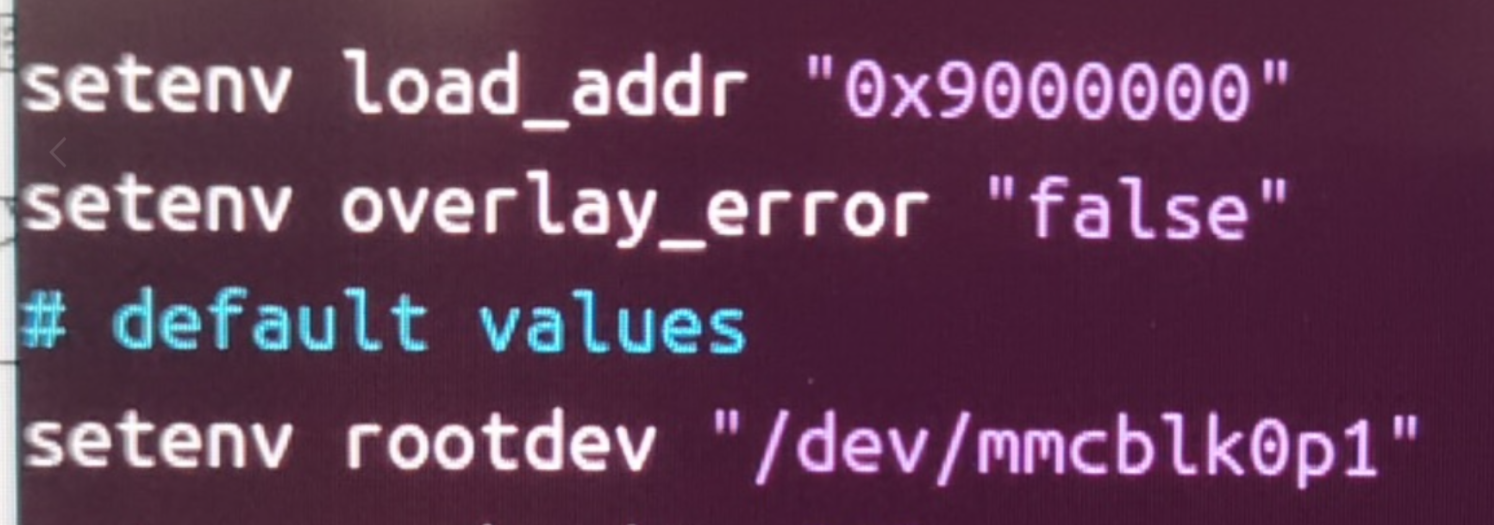
-
@george is this true even for the community made Genbook build?
-
@Momo-0
I did itchange address 0x200000
build
burn it to emmc
profit
Linux coolpi-genbook 6.18.0-edge-rockchip64 #1 SMP PREEMPT Mon Dec 1 01:42:10 MSK 2025 aarch64 aarch64 aarch64 GNU/Linuxwireless works
no sound
No usb-c -
@mainbord too bad about the usbc and the sound, can i ask how you went about it? im not to deep into armbian.
-
@Momo-0
TYPEC is only related to DTS, and the main issue with the sound card is Tinymix configuration. -
@georgecould you elaborate on how to build and change the Kernel from the current github repository?
-
git checkout 6.1.75
./build-kernel.sh arm64
The deb file will be generated in the higher-level directory of the code and copied to the machine for installation.
-
Armbian use this file from linux kernel
https://github.com/torvalds/linux/blob/master/arch/arm64/boot/dts/rockchip/rk3588-coolpi-cm5-genbook.dtsGeorge use this
https://github.com/coolpi-george/coolpi-kernel/blob/linux-6.1-stan-rkr5.1/arch/arm64/boot/dts/rockchip/rk3588-cpcm5-notebook-v20.dtsI found instruction how to build my own dts
https://docs.armbian.com/User-Guide_Armbian_overlays/But i can't build even the linux kernel dts file
sudo armbian-add-overlay rk3588-coolpi-cm5-genbook.dts -
@george on git checkout i get the error pathspec did not match any files known to git
compiling leads to error cannot stat arch/arm/amr64/boot/image
-
@Momo-0 I just met this problem, and it was caused by previous job not finishing. https://lkml.org/lkml/2024/1/8/549, I met this problem, and swapped argument, then it compiles
-
@george can we please get a precompiled image to install that has exfat and wireguard and filesytem encryption modules built in? is there a reason the provided images dont contain these features?
-
@george which github repo is that?
-
nobody here anymore?
-
@Momo-0
I compile armbian with mainline kernel linux 7.1.5 full work, patch
coolpi-genbook_7.1.5_full.patchget source code
https://github.com/armbian/build.gitapply git patch build it and burn it
./compile.sh build BOARD=coolpi-genbook BRANCH=edge BUILD_DESKTOP=yes BUILD_MINIMAL=no DESKTOP_APPGROUPS_SELECTED='browsers chat desktop_tools editors email internet multimedia office programming remote_desktop' DESKTOP_ENVIRONMENT=gnome DESKTOP_ENVIRONMENT_CONFIG_NAME=config_base DOWNLOAD_MIRROR=bfsu EXPERT=yes EXTRAWIFI=no KERNEL_CONFIGURE=no RELEASE=resolute BUILD_IN_DOCKER=yesYou can download it here
https://drive.google.com/file/d/1EkmzfyRZYfToua_4tHBk718ho_2Q-fsU/view?usp=sharing -
@mainbord thats really cool, im definetly gonna try this, thanks, is the laptop fully funktional like that? usbs charging and all?