Cool Pi Cm5-Laptop Linux Quick Start Guide
-
@george Can't finish the job. Btrfs module keeps sending an error when building the modules. The script doesn't finish.
-
Tyied it
https://github.com/armbian/build/pull/8275
from usb and from nand it does not boot. -
@mainbord same here, sadly Armbian isnt booting or else i would already be using it instead of the supplied distros
-
@Momo-0
The official default configuration of ARMBIN's loadaddr and optee conflicts and needs to be modified to 0x200000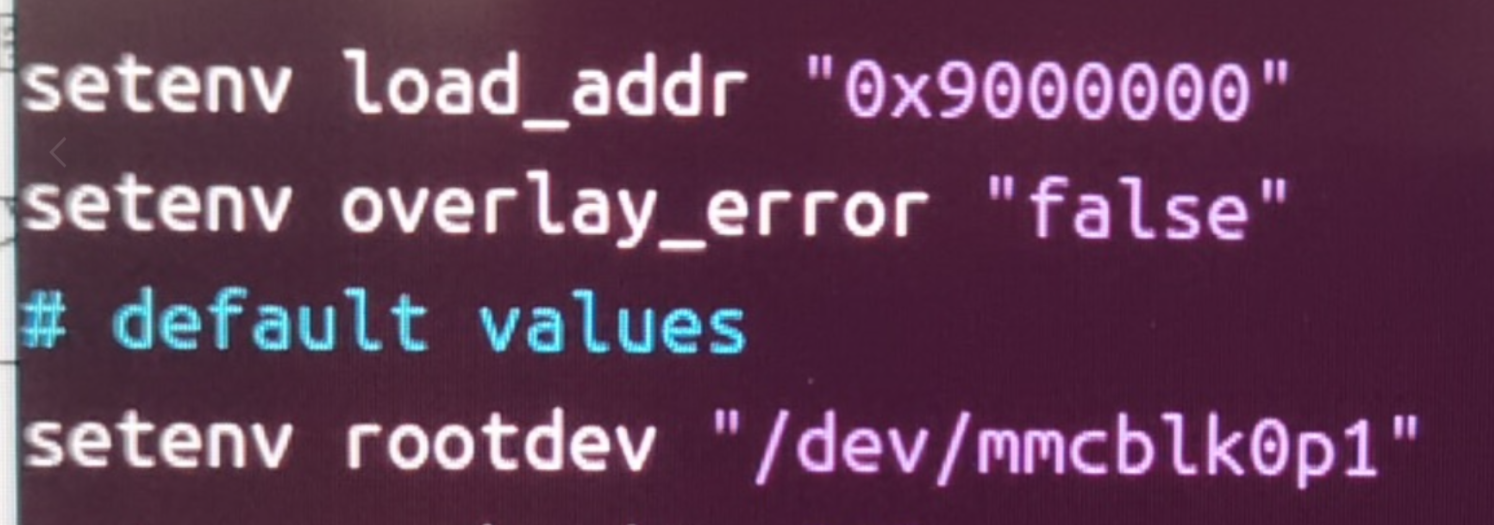
-
@george is this true even for the community made Genbook build?
-
@Momo-0
I did itchange address 0x200000
build
burn it to emmc
profit
Linux coolpi-genbook 6.18.0-edge-rockchip64 #1 SMP PREEMPT Mon Dec 1 01:42:10 MSK 2025 aarch64 aarch64 aarch64 GNU/Linuxwireless works
no sound
No usb-c -
@mainbord too bad about the usbc and the sound, can i ask how you went about it? im not to deep into armbian.
-
@Momo-0
TYPEC is only related to DTS, and the main issue with the sound card is Tinymix configuration. -
@georgecould you elaborate on how to build and change the Kernel from the current github repository?
-
git checkout 6.1.75
./build-kernel.sh arm64
The deb file will be generated in the higher-level directory of the code and copied to the machine for installation.
-
Armbian use this file from linux kernel
https://github.com/torvalds/linux/blob/master/arch/arm64/boot/dts/rockchip/rk3588-coolpi-cm5-genbook.dtsGeorge use this
https://github.com/coolpi-george/coolpi-kernel/blob/linux-6.1-stan-rkr5.1/arch/arm64/boot/dts/rockchip/rk3588-cpcm5-notebook-v20.dtsI found instruction how to build my own dts
https://docs.armbian.com/User-Guide_Armbian_overlays/But i can't build even the linux kernel dts file
sudo armbian-add-overlay rk3588-coolpi-cm5-genbook.dts -
@george on git checkout i get the error pathspec did not match any files known to git
compiling leads to error cannot stat arch/arm/amr64/boot/image
-
@Momo-0 I just met this problem, and it was caused by previous job not finishing. https://lkml.org/lkml/2024/1/8/549, I met this problem, and swapped argument, then it compiles
-
@george can we please get a precompiled image to install that has exfat and wireguard and filesytem encryption modules built in? is there a reason the provided images dont contain these features?
-
@george which github repo is that?
-
nobody here anymore?
-
@Momo-0
I compile armbian with mainline kernel linux 7.1.5 full work, patch
coolpi-genbook_7.1.5_full.patchget source code
https://github.com/armbian/build.gitapply git patch build it and burn it
./compile.sh build BOARD=coolpi-genbook BRANCH=edge BUILD_DESKTOP=yes BUILD_MINIMAL=no DESKTOP_APPGROUPS_SELECTED='browsers chat desktop_tools editors email internet multimedia office programming remote_desktop' DESKTOP_ENVIRONMENT=gnome DESKTOP_ENVIRONMENT_CONFIG_NAME=config_base DOWNLOAD_MIRROR=bfsu EXPERT=yes EXTRAWIFI=no KERNEL_CONFIGURE=no RELEASE=resolute BUILD_IN_DOCKER=yesYou can download it here
https://drive.google.com/file/d/1EkmzfyRZYfToua_4tHBk718ho_2Q-fsU/view?usp=sharing -
@mainbord thats really cool, im definetly gonna try this, thanks, is the laptop fully funktional like that? usbs charging and all?
-
@Momo-0
I tested sound, microphone, wi-fi, usb-c charging, hdmi, usb mouse and usb ethernet with usb-c, touchpad, LCD, LEDs, turn off functionality, mesa acceleration, 3d aceleration, 4k playback.
Games: 0.A.d., xonotic, Superttux kart, quake, Fheroes and other.It's all works.
And here is full version with verndor 6.1.115 kernel
https://forum.cool-pi.com/topic/1293/armbian-ubuntu-fully-works-from-source-codeBut i think mainline kernel is more interesting;
-
@mainbord i tested your version with the edge kernel and i found that the laptop doesnt turn off the display when the lid is closed, and after enabling suspend it doesnt seem to work, laptop doesnt come back from sleep, does that track with what youve seen?