Cool Pi Cm5-Laptop Linux Quick Start Guide
-
I want to try the Kylin system in Baidu Pan, but unfortunately, I can't start it. Now the problem is that I can't enter MUS mode by quickly pressing the power button 8 times. No matter how I start or try, it keeps showing the logo and then rebooting repeatedly. Is there any other way for me to reflash the system?
-
@guyii
From the phenomenon you described, it appears that the onboard EMMC partition table has been damaged. Try formatting the onboard EMMC memory according to the following operation method. After successful completion, you can enter UMS mode normally.- Find a USB drive and use an etcher to create an image of Ubuntu on it. Remember to back up important data from the USB drive before creating it.
- Insert the USB drive into the USB port of the laptop and start the machine. If everything goes smoothly, the machine will successfully boot from the USB drive.
- Use commands to format onboard EMMC memory
sudo mkfs.ext4 /dev/mmcblk0- Remove the USB flash drive and press and hold the power button for 10 seconds to forcibly shut down the machine.
- Connect the TypeC port to the X86 computer and press the power button multiple times to enter UMS mode.
-
@guyii
Firstly, create a system image to a USB drive or a portable hard drive using the etcher. Then, insert the computer and start it up. The machine will first start from the USB drive. After entering the system, format the EMMC using the following command to enter UMS mode again.sudo mkfs.ext4 /dev/mmcblk0 -
M mainbord referenced this topic on
-
I received the V20 mainboard and installed it. I followed these instructions including pulling, compiling and installing the latest kernel source, and the system boots fine, however it does not recognize the NVMe card.
-
@george would you mind taking a look at this issue. I have not been able to find the instructions specific to the V20 board upgrade, so I may have missed something. I've pulled the notebook apart again and reseated the NVMe stick. I installed Ubuntu 24.04, but maybe I should have used 22.04?
-
@george Never mind. It just started working. No clue why, but I'll monitor it and let you know if it starts to get flaky.
-
@george 一开始 进入 UMS模式,用另一台电脑用 balenaEtcher 刷最新的Ubuntu镜像,中途另一台电脑故障死机,刷机失败。
之后coolpi笔记本无法进入UMS模式,用64GB USB2.0的sandisk U盘刷了最新的Ubuntu镜像后,插上coolpi笔记本后开机,能看到Ubuntu启动logo,之后就是一直黑屏状态,也无法用 Ctrl + Alt + F1(到F12) 切换到控制台模式。U盘刷Ubuntu的内核5.10版本的那个,也是最终黑屏状态。这个如何恢复?
制作启动U盘的,是用linux 的 dd命令写入img镜像文件的
-
This post is deleted! -
@berkaroad 你把u盘镜像插电脑重新修改下分区label,再将extlinux.conf参数匹配上
-
@大法师 谢谢提醒,搞定了!
u盘的两个分区的label都改了下,extlinux下的配置文件改为第二分区的label;修改fstab文件,挂载的boot分区改为按label查找的第一分区的label。 -
M mtiqbal referenced this topic on
-
@george Can the kernel from https://github.com/yanyitech/coolpi-kernel work with Armbian image?
I installed Armbian image (from Onedrive) on my Notebook-v20 and got kernel 5.10.
So I tried to upgrade the kernel. but there is no dir /boot/firmware to copy to.
and when I created /boot/firmware dir and copy /out/ to it.
I got " No space left on device"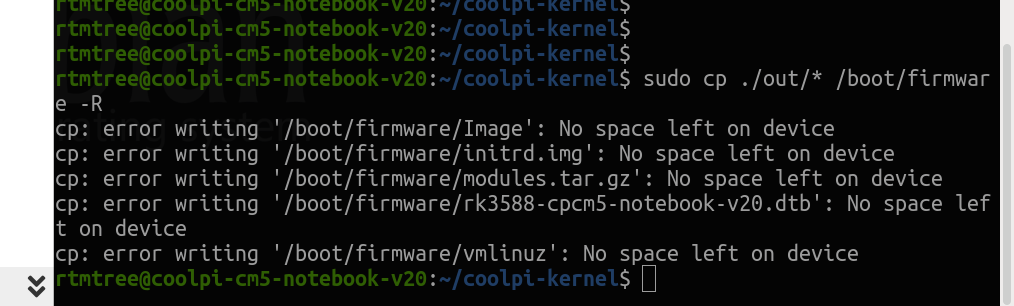
thank in advance.
-
- cm5-notebook
- cm5-notebook-v20
怎么判断笔记本是不是v20啊,
百度网盘镜像下载哪个啊
-
i was trying to build the kernel, but after following the instructions i only get a blinking cursor on reboot.
-
@Momo-0
Usually caused by incorrect recognition of file system partitions, pay attention to checking the cmdline. -
Hello everybody,
I can't download any images. Do you have any recent links?
BR
Peter -
- As shown in the figure below, download the system image of Microsoft Cloud Drive

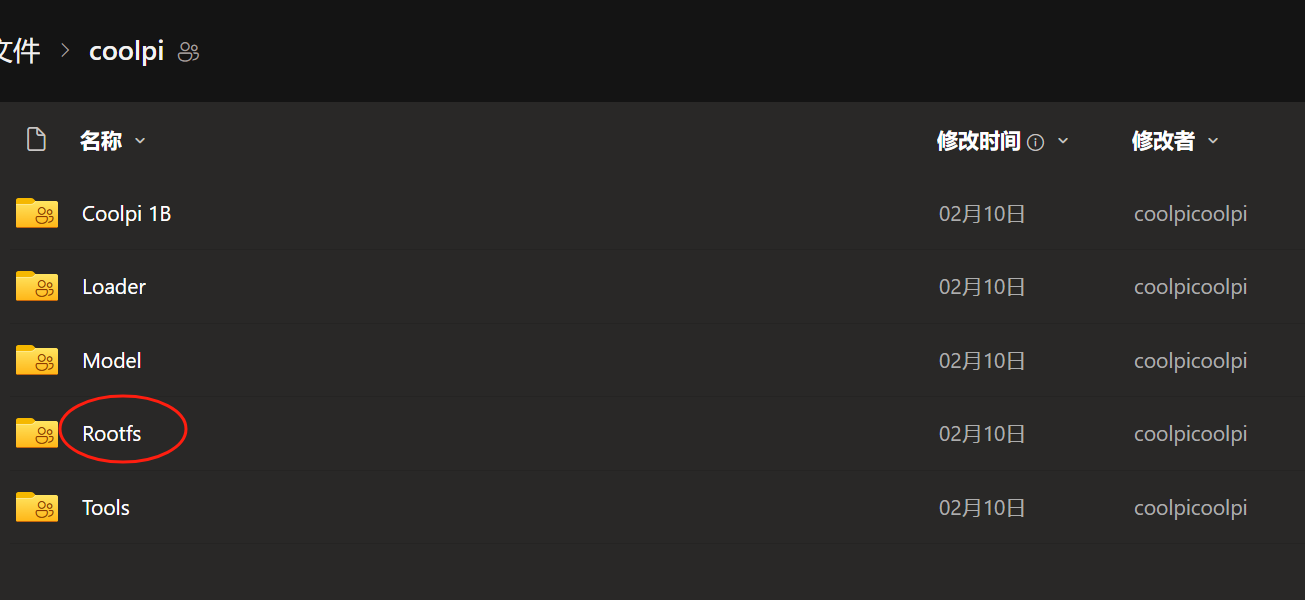
- As shown in the figure below, download the system image of Microsoft Cloud Drive
-
Thanks. It seems that in Ubuntu (24.04) there's no exfat support compiled. How to modify the script or the settings to get it compiled?
Thanks in advanceBR
Peter -
@petersen77
Modify the config file as shown in the following figure, then recompile and replace the kernel.diff --git a/arch/arm64/configs/coolpi_linux_defconfig b/arch/arm64/configs/coolpi_linux_defconfig index 76e84eb3e9b7..45cd2e0d149b 100755 --- a/arch/arm64/configs/coolpi_linux_defconfig +++ b/arch/arm64/configs/coolpi_linux_defconfig @@ -1044,6 +1044,7 @@ CONFIG_ZISOFS=y CONFIG_VFAT_FS=y CONFIG_FAT_DEFAULT_CODEPAGE=936 CONFIG_FAT_DEFAULT_IOCHARSET="utf8" +CONFIG_EXFAT_FS=y CONFIG_NTFS_FS=y CONFIG_TMPFS=y CONFIG_TMPFS_POSIX_ACL=y -
Nice. Thanks
-
@george any reason this isn't already built in into the published images?