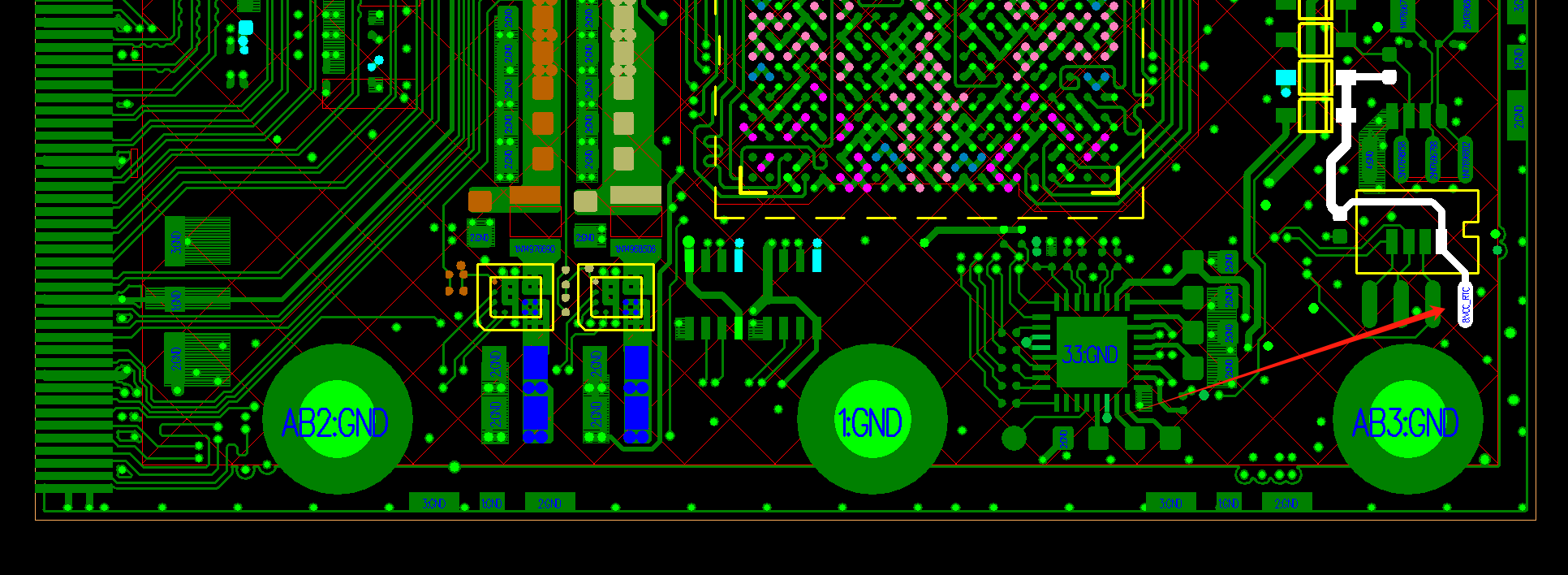
We are looking forward to your work and can provide technical support.
Thank you!
G
Posts
-
RE: DIY Tabletposted in Peripheral
-
RE: Cool Pi ARM Notebook Previewposted in News
@Chan
如下链接可以购买:
https://item.taobao.com/item.htm?id=769972910823&ns=1&pisk=geXbTQxh5q0b5baGZZqyR5x3Bvv65uyElctOxGHqXKpvW_sh5ErgiK5W5aQWkxr0iCL1oKdGgF825dsGRuzULJScmdv88yyFYmcgnpcxDn3w24K6CnebU7rAmdvT80kTTJscJJMnfrx92utwbn3OWhL8eUxwWfQ9kQ3JAHv9BrL2wl1OCGRDHKdyBG8lnq4xMha58HcV7KY9qzsdjslMsrKTanxvgE8mnFHkrhGx6IHtwLKDAmptHhe8eHKZDnptBQLJrhp9WNpTVLh754taGhIbcP7ev0Me4iLSBABYIITBvfksCsxvGOIvPgSPFnOXRQ7OETXAzGBVnQV-NdjPON1OJzl2k6tCPB5bRx_CohI6XZwnAUBffTOcaDDOVCTfwtdSXAIXEFdd1ZajiECVPBxJwcwH4w8RmtC7j4IA8E9v2QyLAgdOatAh3zHXp6j231QLzj8AOhIrsv8QMjhsVBD6Ver7Vfcif-ByL_w0G6RvqneUVugSsIKkVer7VfcMM3xATuZSPff..&priceTId=2147864117368238436881813eaab5&skuId=5340285281741&spm=a21n57.1.hoverItem.1&utparam={"aplus_abtest"%3A"3a39d1f4fb9e1d7bf8927ec6e59f0413"}&xxc=ad_ztc -
RE: CoolPi 4B OV5647 摄像头图片全黑posted in Pi 4B
@traceback
使用QV4L2测试一下节点,确实是否可以正常获取图像,除了型号以外,不同的sensor镜头也会对图像产生影响。 -
RE: Tried to update the boot loaderposted in PI CM5 Laptop
@Momo-0
This firmware is fine, you can try again a few times. If it still doesn't work, follow the following steps:
1.Remove the back cover of the machine. There is a button on the motherboard near the SSD connector。
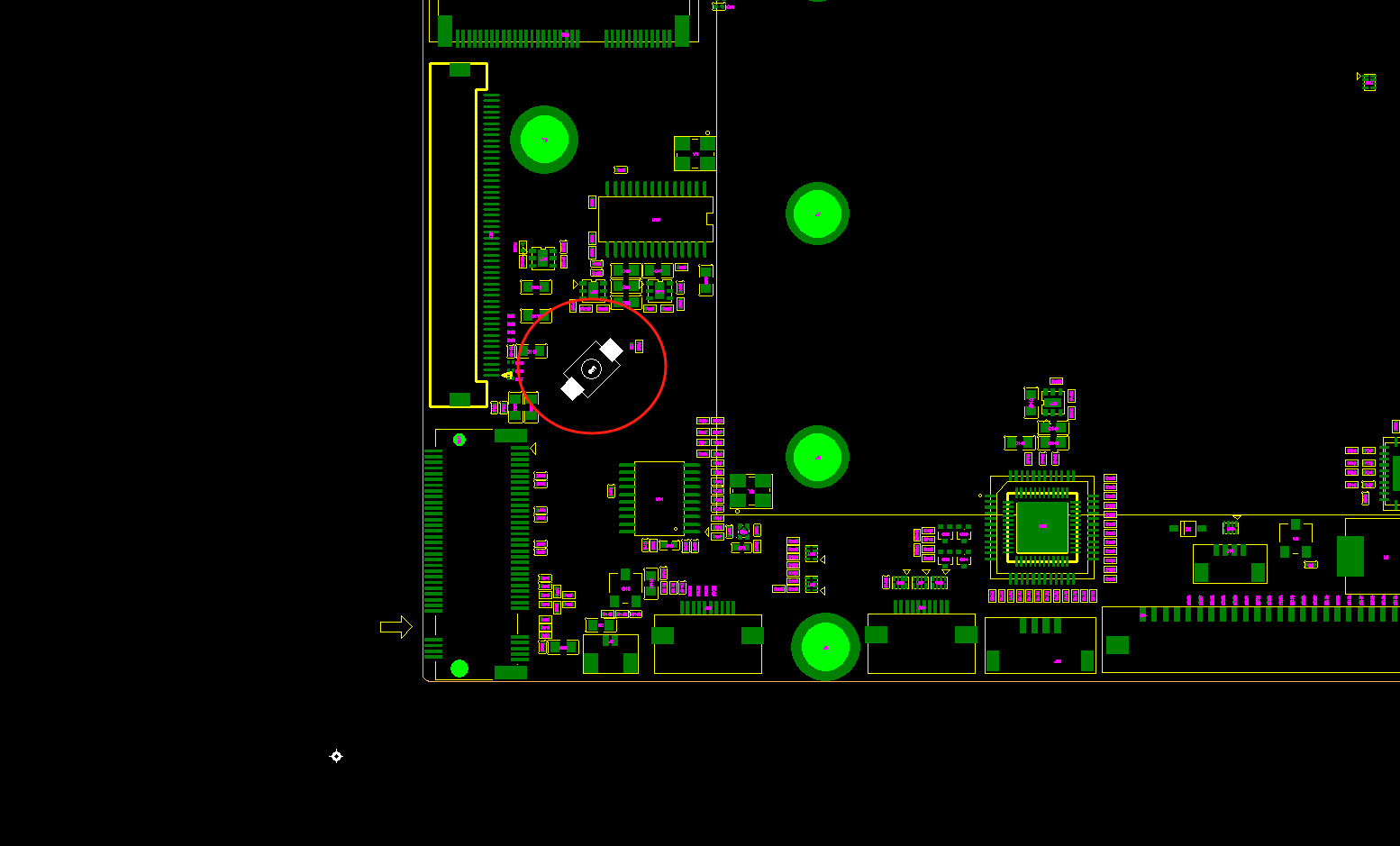
2.Press the button, then press the power button on the laptop to turn it on, and the machine will enter maskrom mode.
3.Burn in the firmware again using the previous method. -
RE: Cool Pi Cm5-Laptop Linux Quick Start Guideposted in PI CM5 Laptop
@Momo-0
Usually caused by incorrect recognition of file system partitions, pay attention to checking the cmdline. -
RE: Tried to update the boot loaderposted in PI CM5 Laptop
@Momo-0
Upgrade the loader using the attachment compressed file as shown in the following figure.
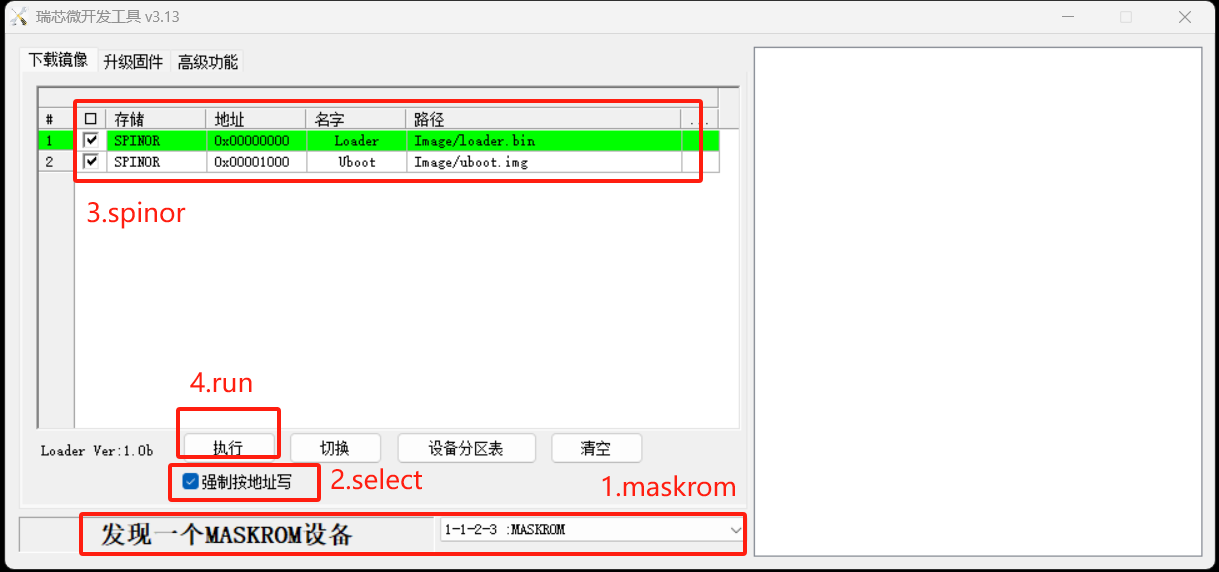
RKDevTool_v3.13_for_window_1.17.113.rar -
RE: 使用u盘装了coolpi 4b的镜像固件,如何进入桌面posted in Pi 4B
@2077205173
镜像写入U盘以后,默认就会从U盘启动,你可以去掉EMMC和TF卡模块,机器就会正常进入桌面。 -
RE: COOLPI CM5-EVB fried my laptopposted in Pi CM5
@lexarion
The CM5-EVB board typec interface is only used as a power supply interface and does not need to be connected to a computer normally. And the normal TYPEC input interface has at least 20V OVP function. I don't know why the laptop motherboard is damaged?
The interface for downloading CM5-EVB images is USB 3.0. Please refer to the following document for operation. Thank you for your support.
https://wiki.cool-pi.com/en/home/cm5_quick_start -
RE: no webcam/device not foundposted in PI CM5 Laptop
@Momo-0
Need to cooperate with testing first to determine where the problem lies?- Connect the LCD cable and use a multimeter to test the ground impedance of the two PINs shown in the figure below
- Disconnect the LCD cable and use the same method to test the ground impedance of two PINs
Test method: Set the multimeter to the diode position, connect the red probe to GND, and connect the black probe to the signal.
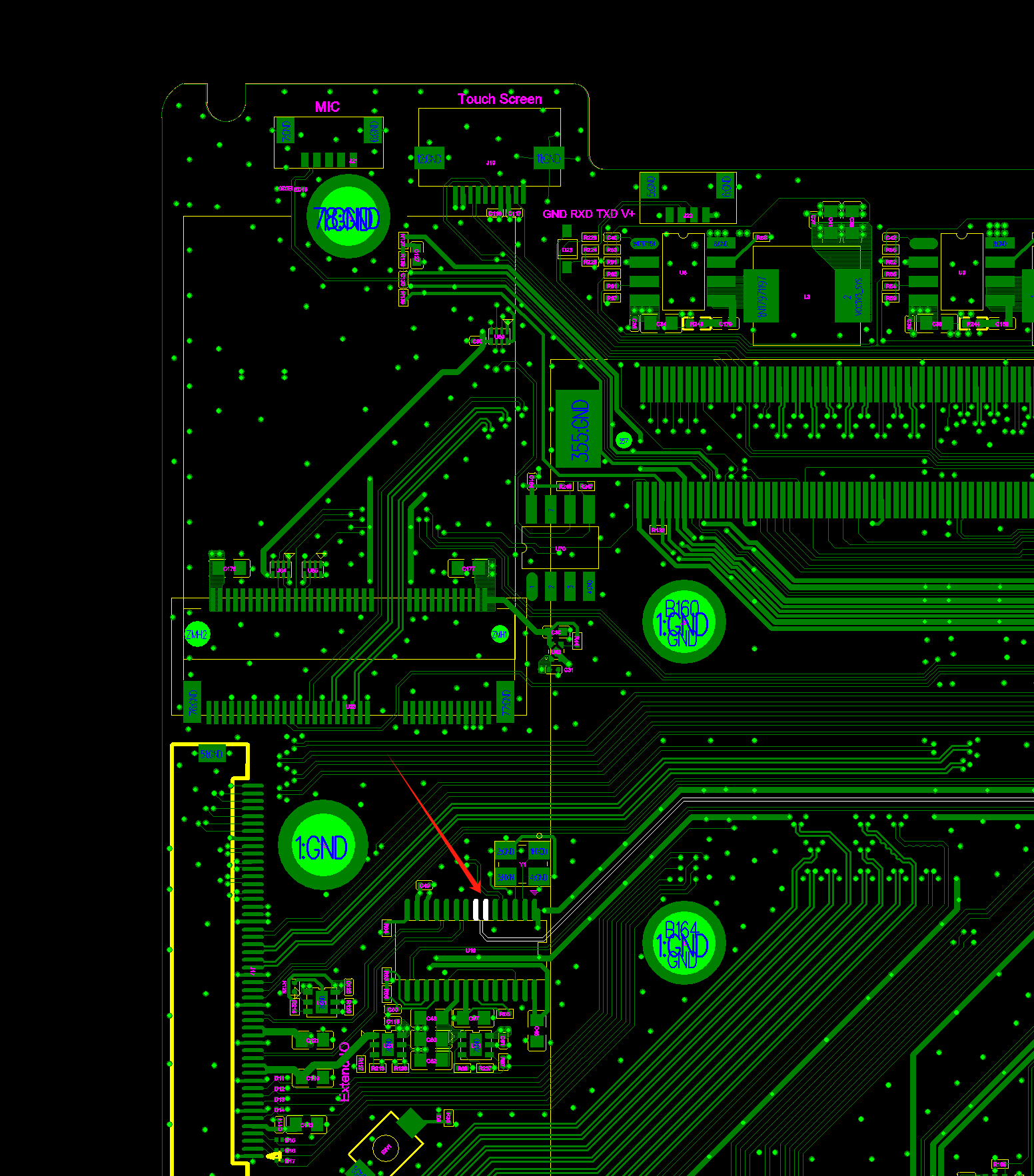
-
RE: RTC时间保存问题posted in Pi CM5
@jugg
从上面的信息能够确认RTC的时间是正常的,关机时候是9:49,再开机是:9:57,只是RTC时间没有同步到系统。
日志也提供了方法:timedatectl set-local-rtc 0 -
RE: RTC时间保存问题posted in Pi CM5
@jugg
1.确认你外部电源供电电压是多少V
2.关机之前查看一下硬件RTC的时钟情况,使用如下命令:cat /proc/driver/rtc3.关机一段时间再开机,再次查看硬件RTC时间
cat /proc/driver/rtc然后把结果发上来。
-
RE: Ubuntu22.04内核安装问题posted in Ubuntu
@Kanade
建议切换到6.1的背个版本。默认的代码会生成一个头文件的包,解压到/usr目录即可。
https://github.com/coolpi-george/coolpi-kernel -
RE: no webcam/device not foundposted in PI CM5 Laptop
@Momo-0
From the phenomenon, it appears that there is a hardware malfunction, such as a damaged camera module or connector.
If you have a certain hardware foundation, you can provide drawings and methods to guide troubleshooting.