@zehui
1.目前硬件是强制SPI启动的,如下图硬件配置,如果要改为扫描启动方式,可以去掉R18的电阻。
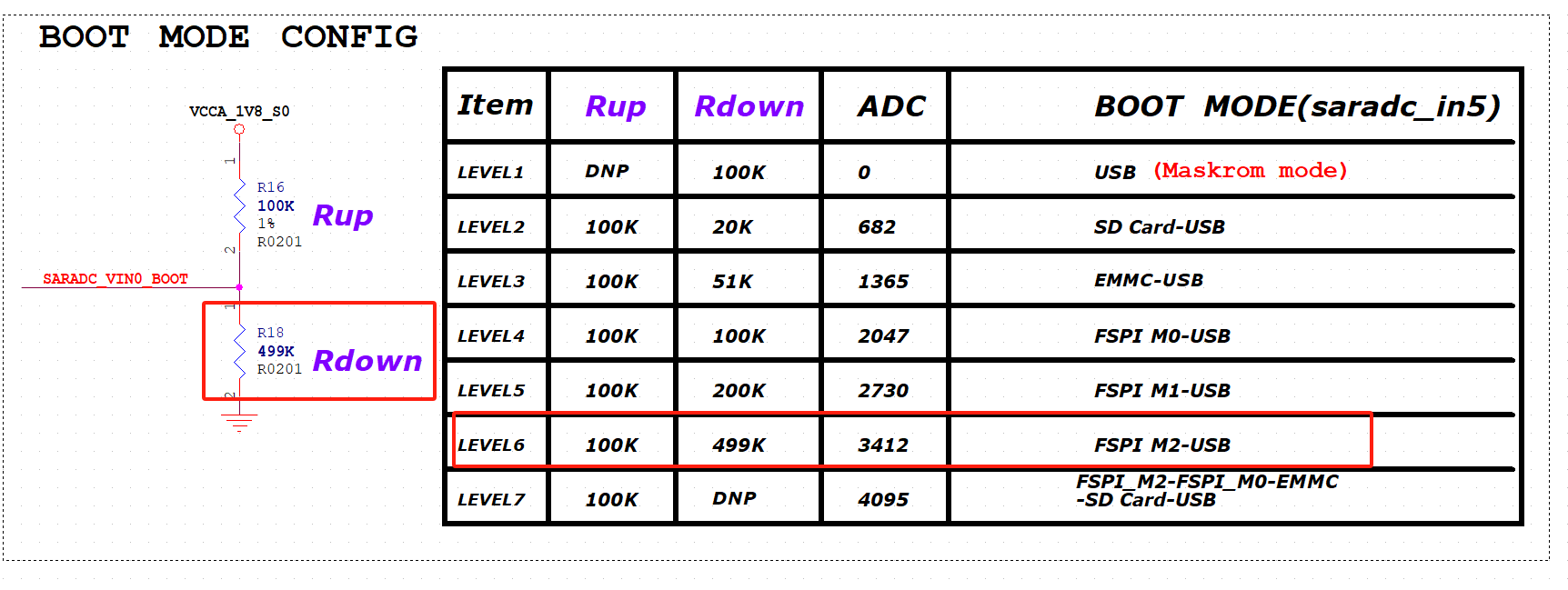
2.目前使用的是rockchip的loader和uboot。github的uboot源码有包括SPL部分。用户可以自行修改,DDRBIN目前没有开放源码只有二进制文件。
G
Posts
-
RE: RKDevTool和rkdeveloptool的功能区别posted in Pi 4B
-
RE: RKDevTool和rkdeveloptool的功能区别posted in Pi 4B
@zehui
目前ARM平台的升级工具只有rkdeveloptool,github的这个工具是很老的版本,还不支持多存储设备的升级。- 如果是ARM64的ubuntu系统,coolpi4b机器进入UMS模式,然后双击img镜像文件,选择对应的UMS设备就可以升级。
- github有etcher的源码,也可以编译生成ARM64的版本用于系统升级。
- 也可以把ubuntu系统做到u盘,然后使用u盘启动,然后双击img镜像也可以刷到EMMC,或者TF卡。
-
RE: Cool Pi ARM Notebook Previewposted in News
@Momo-0
The following link is available for direct purchase.
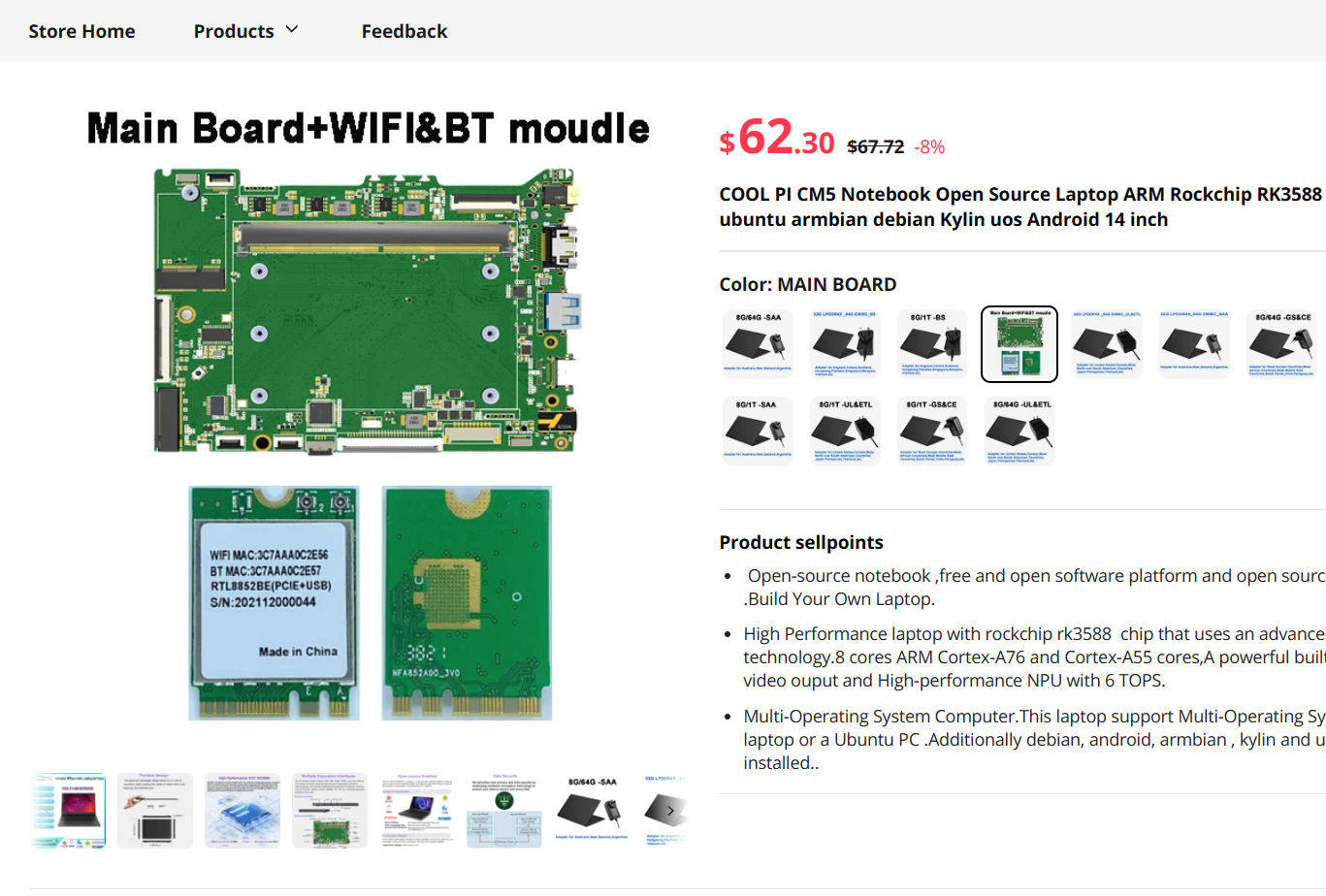
https://www.aliexpress.com/item/1005006690709030.html?spm=a2g0o.productlist.main.9.58aa1FMf1FMfYe&algo_pvid=0e9f7622-0c66-4abd-b7e5-93eb82cf1a8e&algo_exp_id=0e9f7622-0c66-4abd-b7e5-93eb82cf1a8e-4&pdp_npi=4%40dis!USD!391.80!360.46!!!2835.00!2608.20!%40212c01e917132598608308562e307a!12000038176680779!sea!US!2610428169!AB&curPageLogUid=gkKThAoClhbA&utparam-url=scene%3Asearch|query_from%3A&gatewayAdapt=4itemAdapt -
RE: 4b会支持rkllm版本么?posted in Pi 4B
@airobot机器人开发
目前还是beta版本,等后续的release版本再考虑移植。如果有兴趣可以自己尝试移植,里边最主要的步骤是X86上面的模型转换过程。需要更详细资料可以邮件索取:george@cool-pi.com -
RE: 4b会支持rkllm版本么?posted in Pi 4B
Description
RKLLM software stack can help users to quickly deploy AI models to Rockchip chips. The overall framework is as follows:
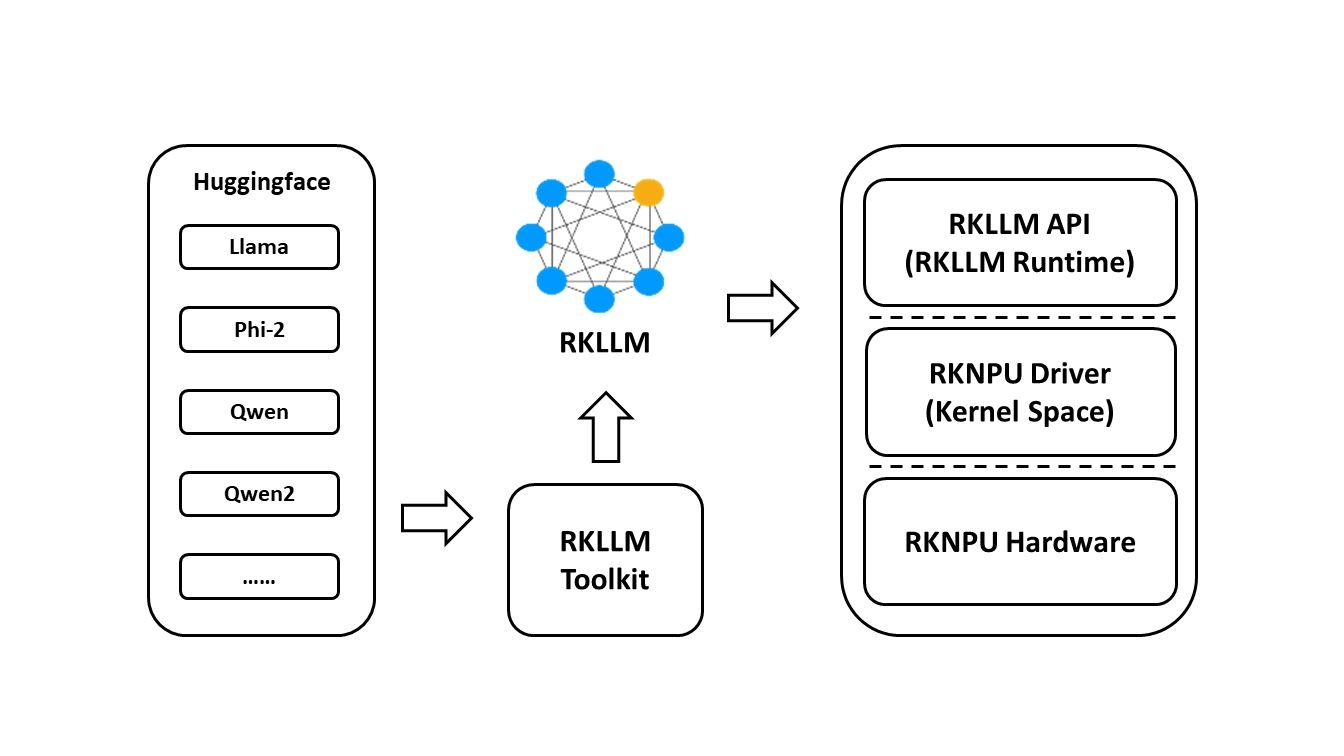
In order to use RKNPU, users need to first run the RKLLM-Toolkit tool on the computer, convert the trained model into an RKLLM format model, and then inference on the development board using the RKLLM C API.
-
RKLLM-Toolkit is a software development kit for users to perform model conversionand quantization on PC.
-
RKLLM Runtime provides C/C++ programming interfaces for Rockchip NPU platform to help users deploy RKLLM models and accelerate the implementation of LLM applications.
-
RKNPU kernel driver is responsible for interacting with NPU hardware. It has been open source and can be found in the Rockchip kernel code.
Support Platform
- RK3588 Series
- RK3576 Series
Download
- You can also download all packages, docker image, examples, docs and platform-tools from RKLLM_SDK, fetch code: rkllm
RKNN Toolkit2
If you want to deploy additional AI model, we have introduced a new SDK called RKNN-Toolkit2. For details, please refer to:
https://github.com/airockchip/rknn-toolkit2
Notes
Due to recent updates to the Phi2 model, the current version of the RKLLM SDK does not yet support these changes.
Please ensure to download a version of the Phi2 model that is supported.CHANGELOG
v1.0.0-beta
- Supports the conversion and deployment of LLM models on RK3588/RK3576 platforms
- Compatible with Hugging Face model architectures
- Currently supports the models LLaMA, Qwen, Qwen2, and Phi-2
- Supports quantization with w8a8 and w4a16 precision
-
-
Explore unlimited possibilities - Coolpi 8-inch touchscreenposted in Peripheral
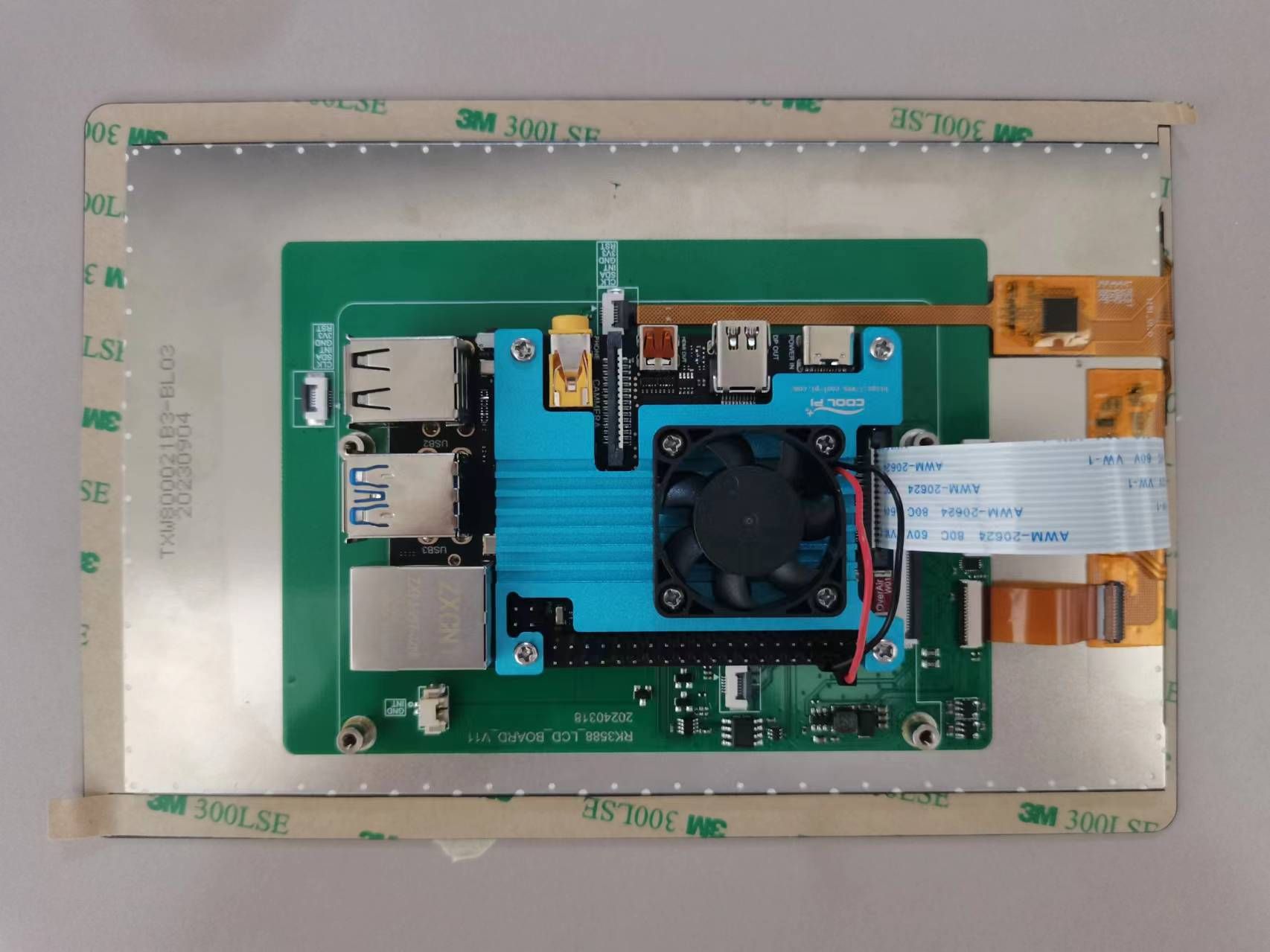
Welcome to the intersection of technology and creativity! Coolpi 8-inch touchscreen brings you an unprecedented interactive experience. This cost-effective touch screen, with its outstanding performance and unlimited possibilities, will become a powerful assistant for your innovative projects.
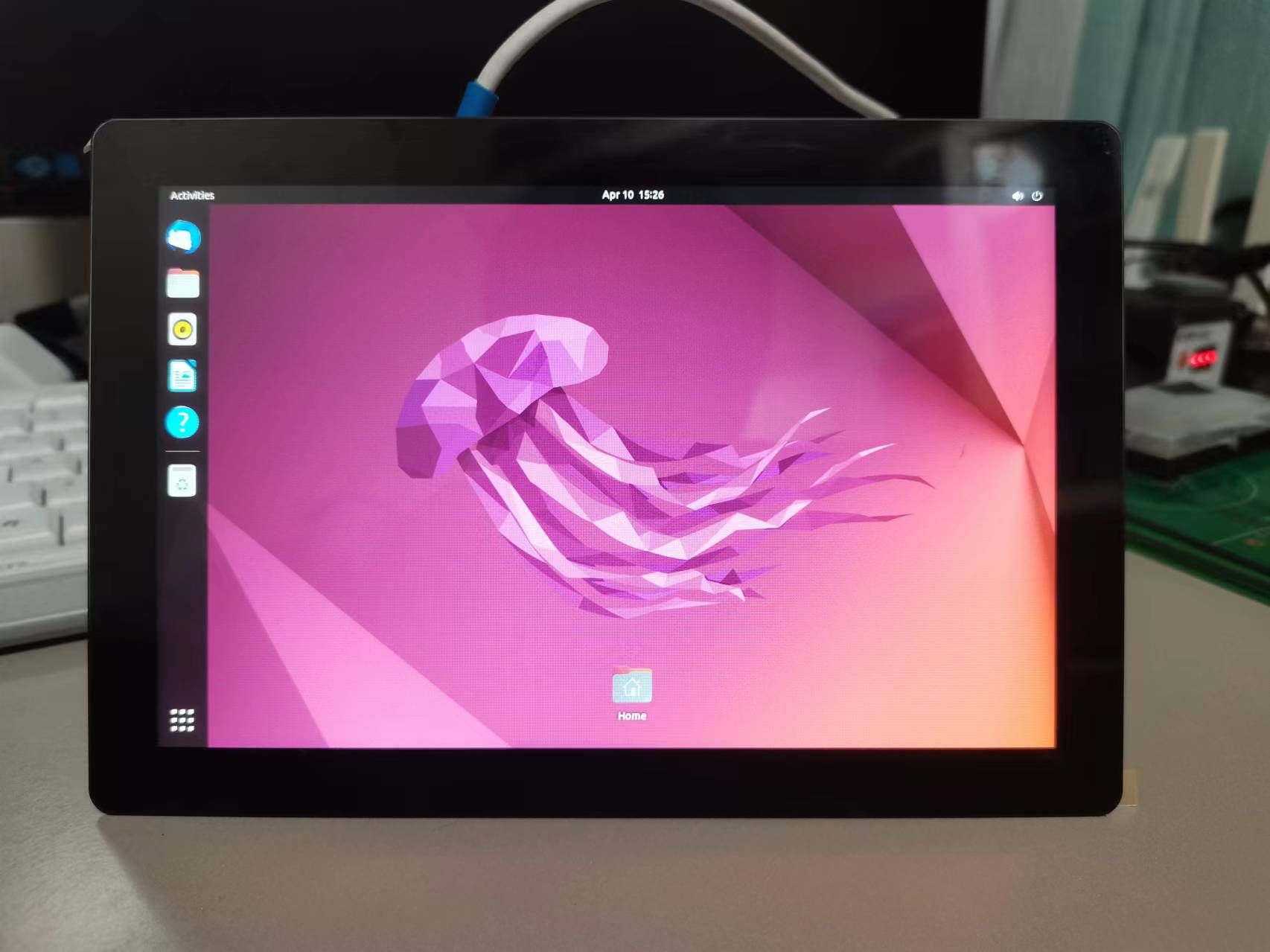
Product features
- Suitable size: 8 inches in size, lightweight and portable, allowing your creativity to be everywhere.
- High definition display: 800x1280 resolution, clear image, bright colors, and a higher visual experience.
- Multi touch: Supports five touch for smoother operation, allowing your fingertips to dance on the screen.
- Strong compatibility: Perfect compatibility with Coolpi CP4/CM5-EVB.
- Easy to install: With a simple design, you can easily complete the installation and get started quickly.
Application scenarios
- Embedded development: The Coolpi 8-inch touch screen can serve as the core component of intelligent hardware projects, helping you create unique embedded systems.
- Educational programming: suitable for teenagers to learn programming, easily achieve graphical programming, and cultivate innovative thinking.
- Home entertainment: It can serve as a home media center, playing high-definition videos and enjoying audiovisual banquets.
- Smart Home: Combining Coolpi's powerful scalability, create a smart home control system to make life more convenient.
- Creative display: Artists and designers can display their works through touch screens, interact with the audience, and expand their creative space.
- Portable devices: The Coolpi 8-inch touch screen can be applied to various portable devices, such as tablets, advertising machines, etc.
Reason for purchase
- High cost-effectiveness: Compared to similar products, the Coolpi 8-inch touch screen has a higher cost-effectiveness, making you value your money.
- Perfect ecosystem: Coolpi has rich community resources, providing you with a large number of tutorials, cases, and driver support.
- Quality assurance: After strict quality testing, ensure the stability and reliability of the product.
- Thoughtful after-sales service: We provide professional technical support to solve any problems you encounter during use.
- Innovation spirit: The Coolpi 8-inch touch screen inherits Coolpi's consistent innovation spirit, helping you achieve more creativity.
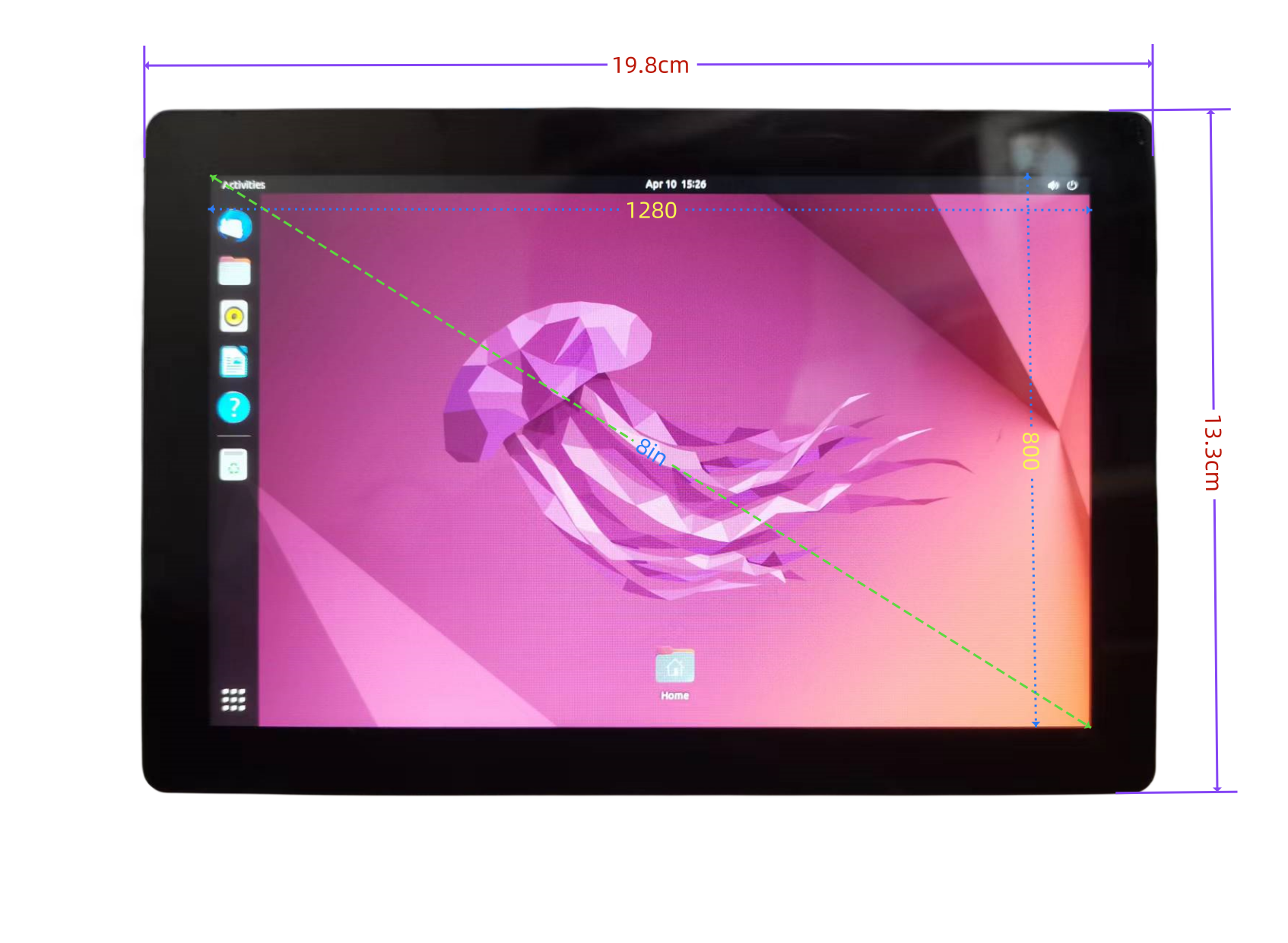
Mechanical dimensions
Join the ranks of Coolpi and embark on your creative journey! Let technology and art blend together to add color to your life. -
RE: Cool Pi ARM Notebook Previewposted in News
@Momo-0 You can directly purchase and send to Germany on AliExpress.
-
RE: 无法apt-get updateposted in Ubuntu
@Yannis
把这个有问题的源删除掉,换成coolpi的ppa源。sudo add-apt-repository ppa:george-coolpi/mali-g610 sudo add-apt-repository ppa:george-coolpi/multimedia sudo add-apt-repository ppa:george-coolpi/rknpu sudo apt-get update sudo apt-get upgrade -
RE: 电源底板上电最大可以上多大需要多少安培posted in Pi CM5
@阿里
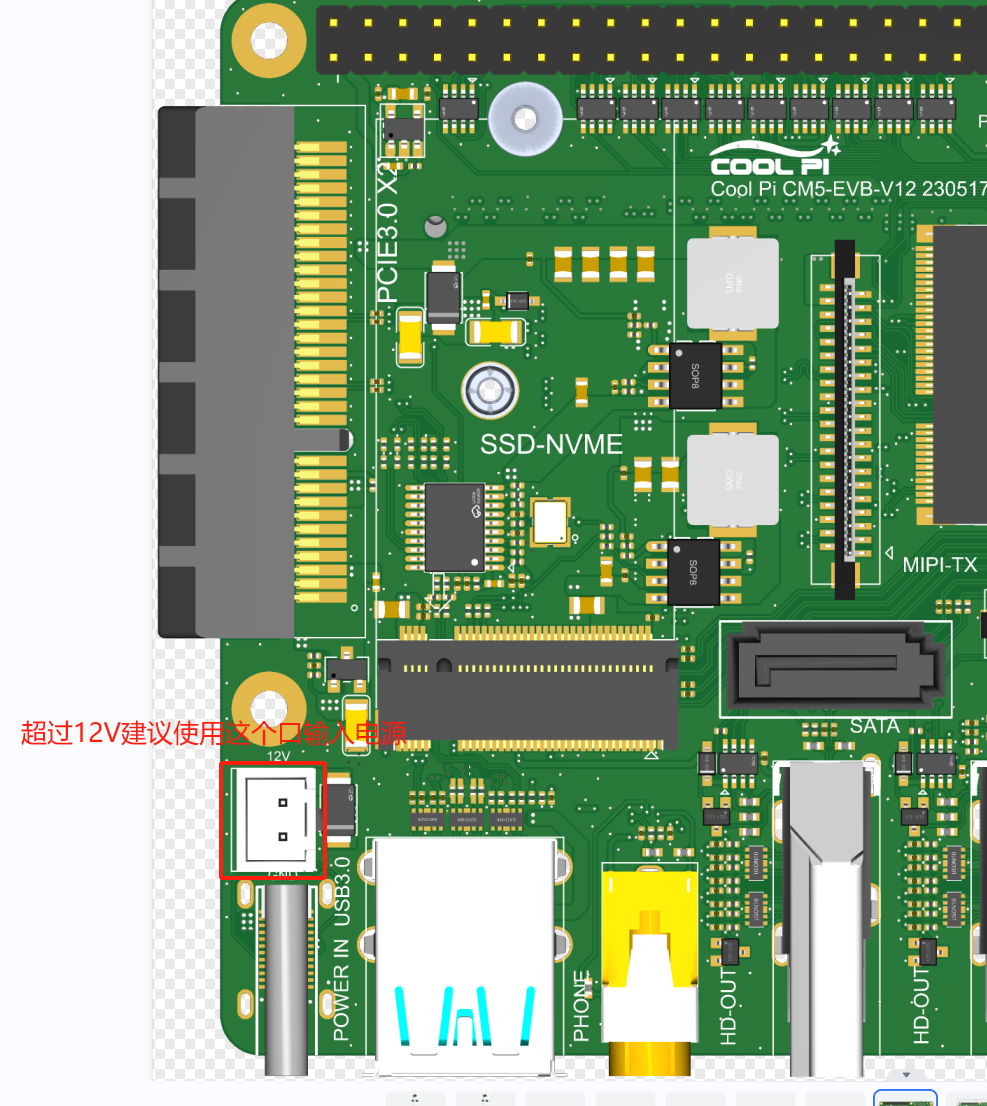
不会的!DCDC输入的电压可以到30V以上。超过12V的电源输入建议使用2PIN 2.54mm连接器,如下图所示:正常工作12V 1.5A就可以满足系统要求,如果有加其它外设比如移动硬盘 SSD之类的,根据实际情况增加电源功率。
-
RE: Cool Pi Cm5-Laptop Linux Quick Start Guideposted in PI CM5 Laptop
@yfblock
At present, the Uboot section has not added support for NVME, so it cannot be supported at the moment. We will provide support steps after the Uboot driver update. Thank you for your support. -
RE: Cool Pi Cm5-Laptop Linux Quick Start Guideposted in PI CM5 Laptop
@yfblock
Test several USB drives and find a USB 2.0 interface drive. There may be compatibility issues with USB3.0. -
RE: Cool Pi Cm5-Laptop Linux Quick Start Guideposted in PI CM5 Laptop
@yfblock
The partition format of Armbian is different from Ubuntu, so it is recommended to format EMMC before upgrading the image when switching between the two systems. -
RE: Cool Pi Cm5-Laptop Linux Quick Start Guideposted in PI CM5 Laptop
@yfblock
Is your machine currently unable to enter UMS mode? It is possible that the file system of EMMC is damaged. You can find a USB drive and create an image of Ubuntu to it. Then, start the system from the USB drive and format EMMC in the system. Use the following command:sudo mkfs.ext4 /dev/mmcblk0 -
RE: Cool Pi Cm5-Laptop Linux Quick Start Guideposted in PI CM5 Laptop
@enok71
Please select 6 for early V10 machinesWelcome to using Coolpi Development Board! ------------------------------------------ Please enter a number to select your machine 1. cp4b 2. cp4b-hdmi-in 3. cm5-evb 4. cm5-evb-v11 5. cm5-minipc 6. cm5-notebook 7. cm5-notebook-v20 8. cm5-8uart 9. cpnano 10. exit Enter option number: 6 -
Cool Pi Cm5-Laptop Linux Quick Start Guideposted in PI CM5 Laptop
Machine Introduction
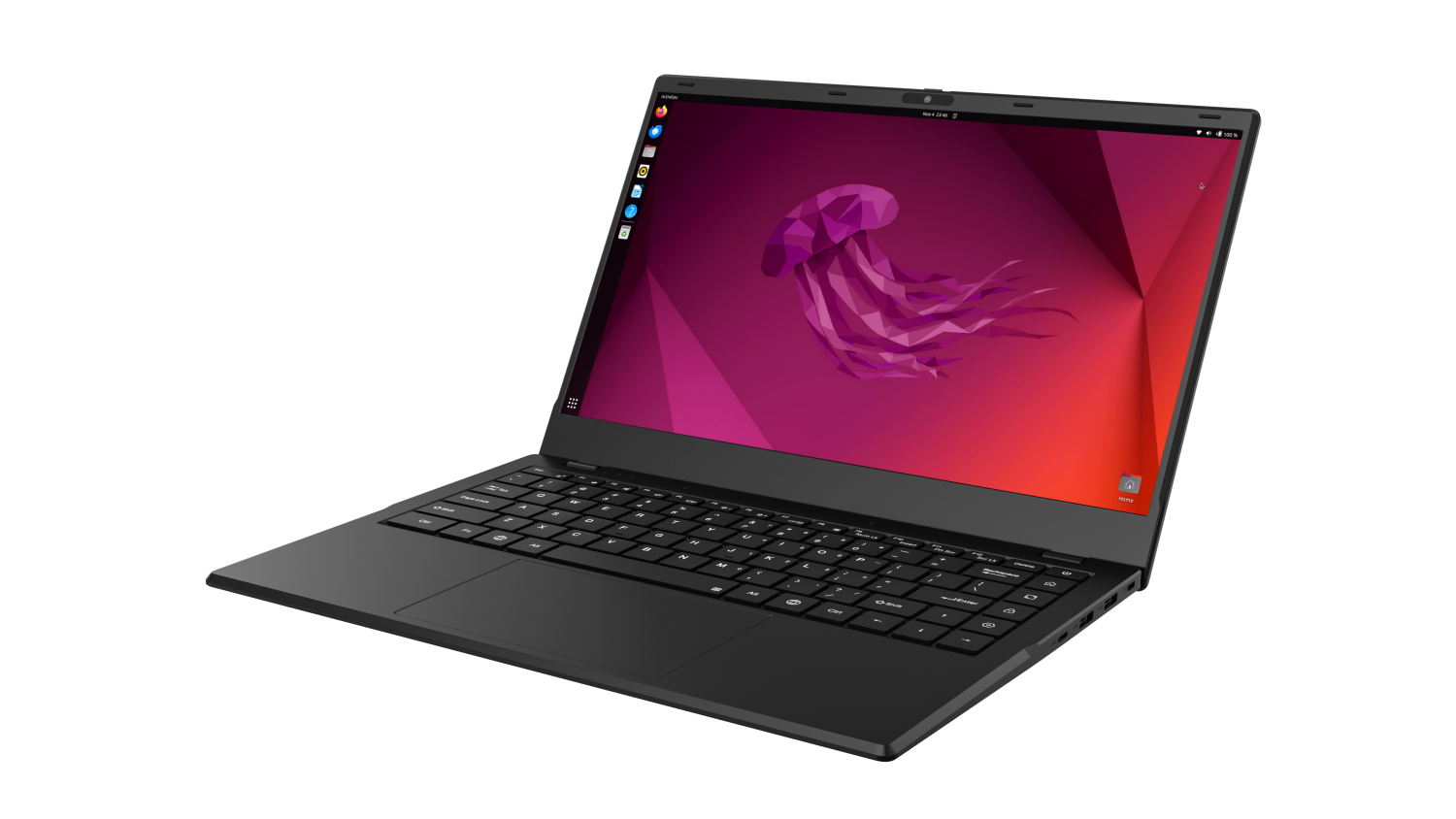
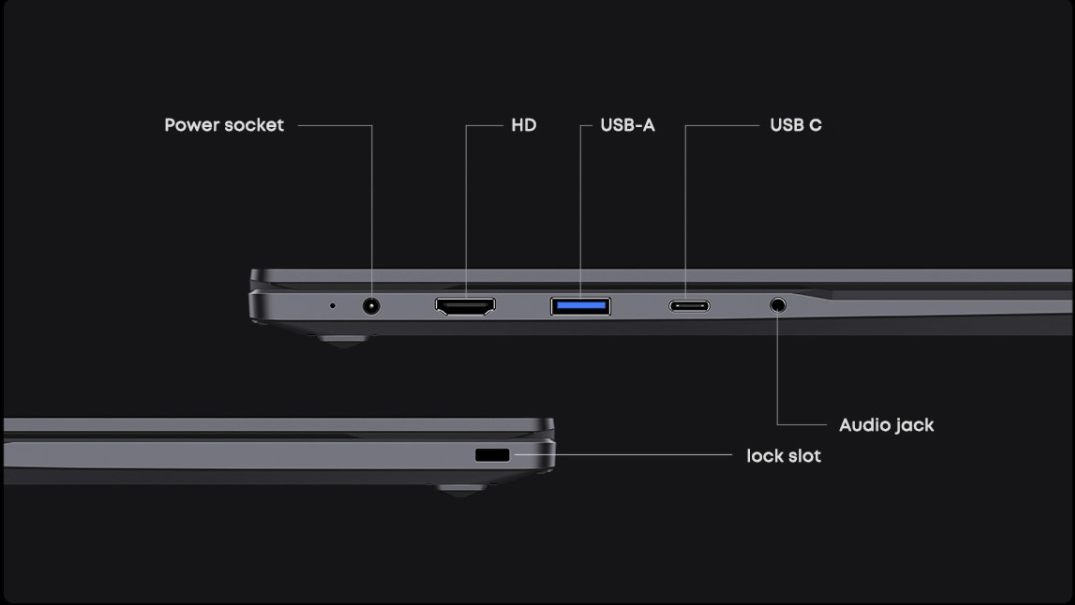
COOLPI CM5 open-source notebook is a product that combines high performance, portability, and open-source spirit. It not only meets the basic computing needs of users, but also provides an ideal platform for those who enjoy free exploration and technological creation.
Installing the system
The machine is installed with Ubuntu 22.04 system by default at the factory. If users need other versions, they can update them according to the following tutorial.
The default username for the machine is: coolpi Password: 123Download image
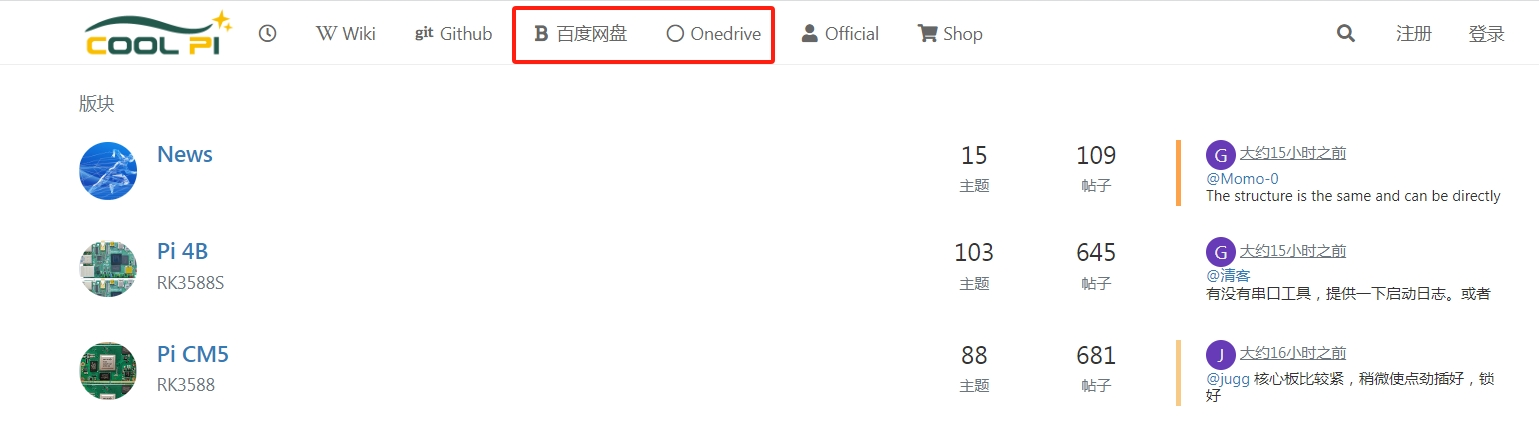
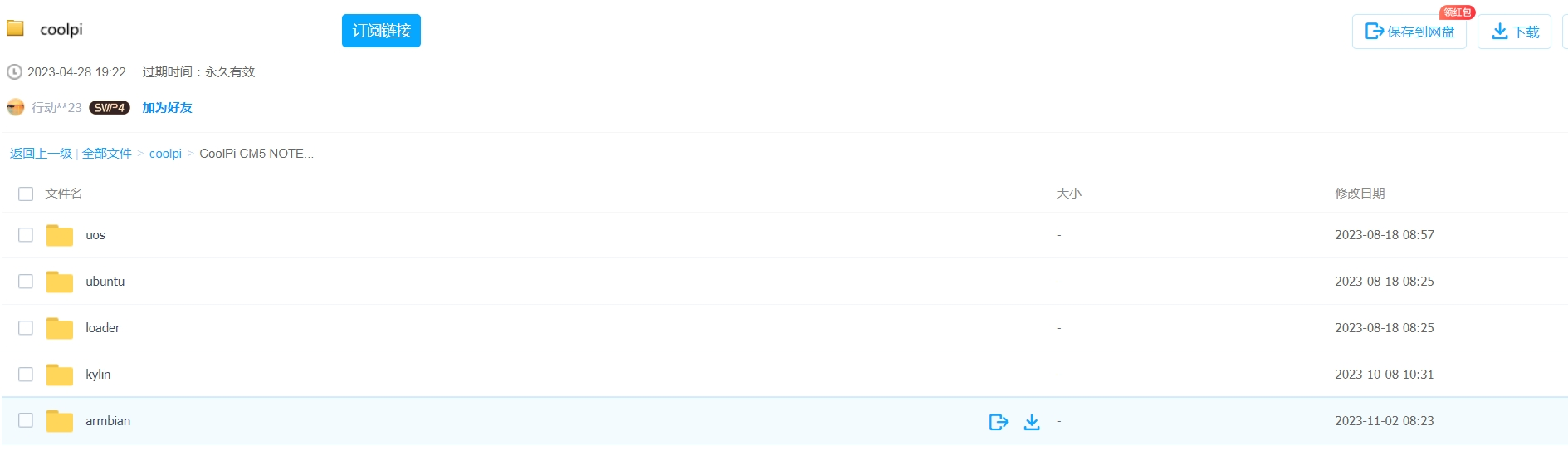
As shown in the following figure: System images can be downloaded through 百度网盘 or Onedrive.
Select the image that needs to be updated, and the image type will continue to be updated.
Download tools
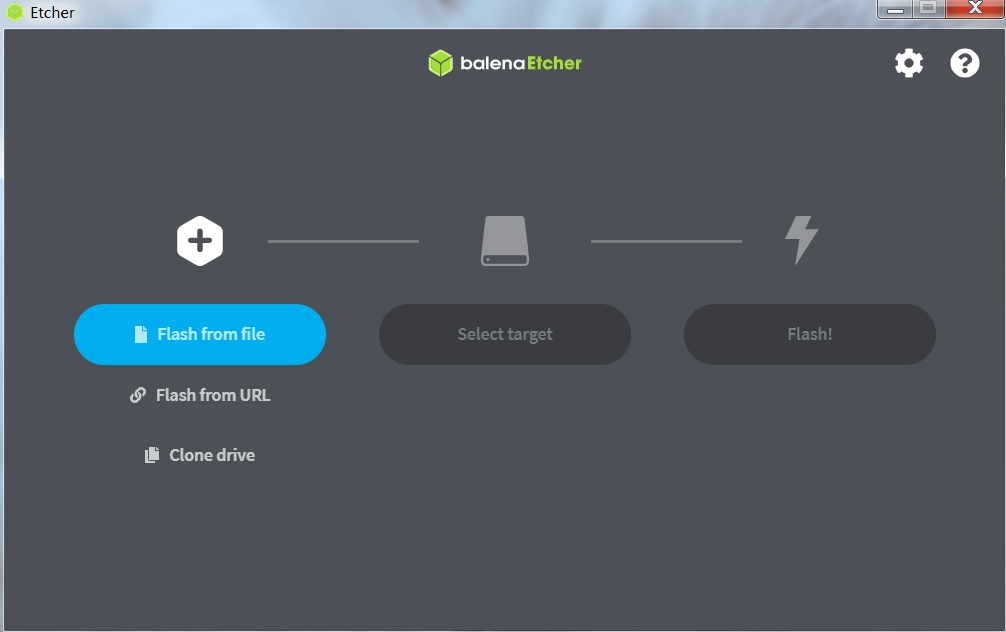
Coolpi defaults to using Etcher to update system images, which can be obtained through Baidu Cloud, Onedrive, or the official website.
Machine enters UMS mode
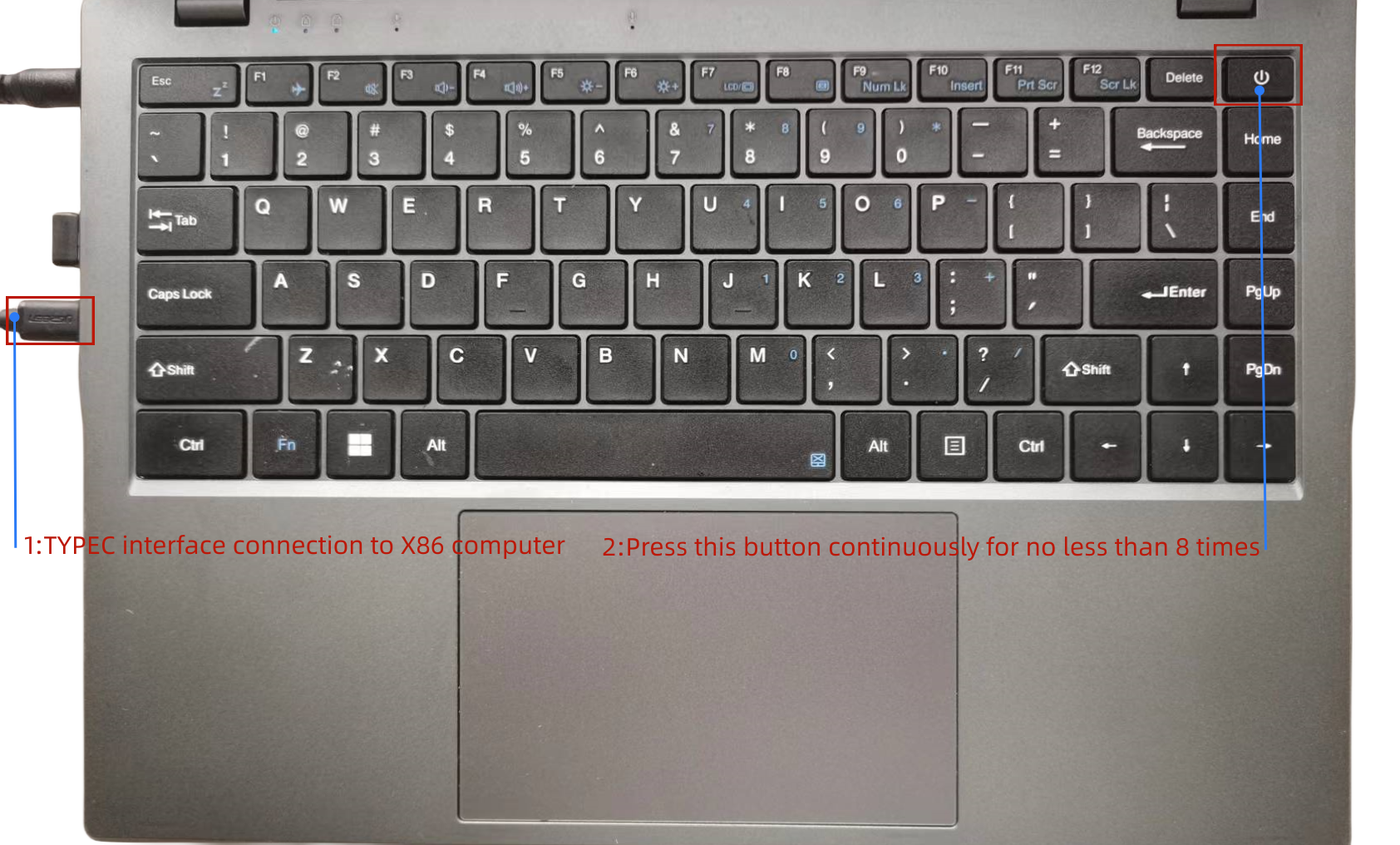
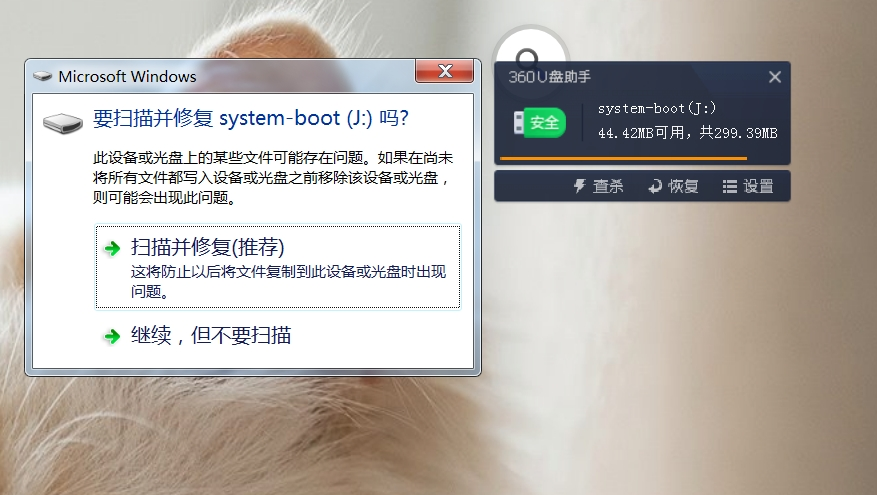
The Type-C port of the machine is connected to the computer. When the Coolpi laptop is turned off, it can quickly press the power button multiple times, usually no less than 8 times, and the machine will enter MUS mode. The computer will recognize an icon for a USB drive. As shown in the following figure:
The X86 computer will recognize a UMS device.
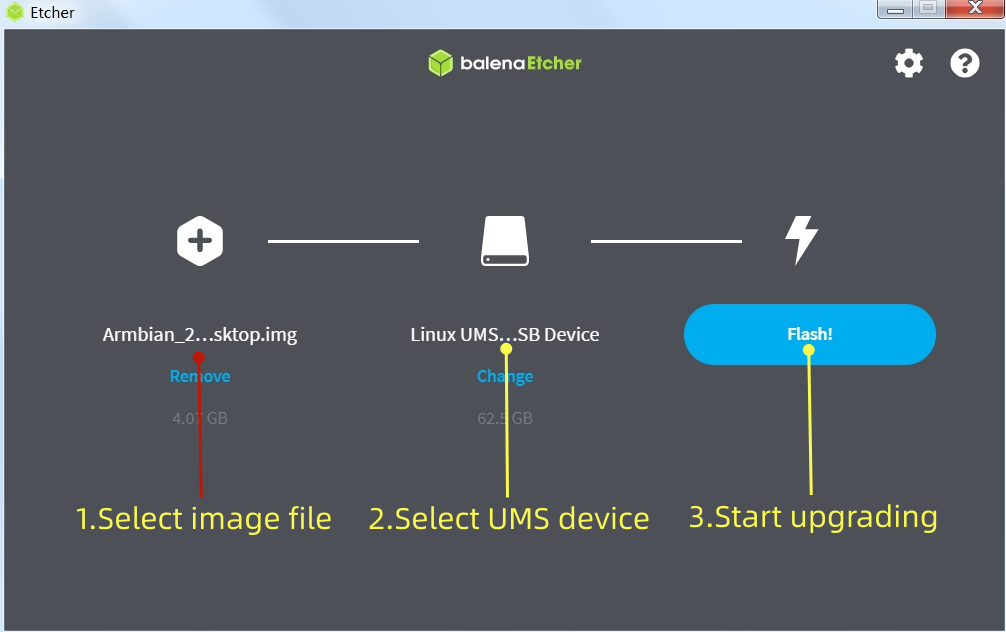
Load image and flash
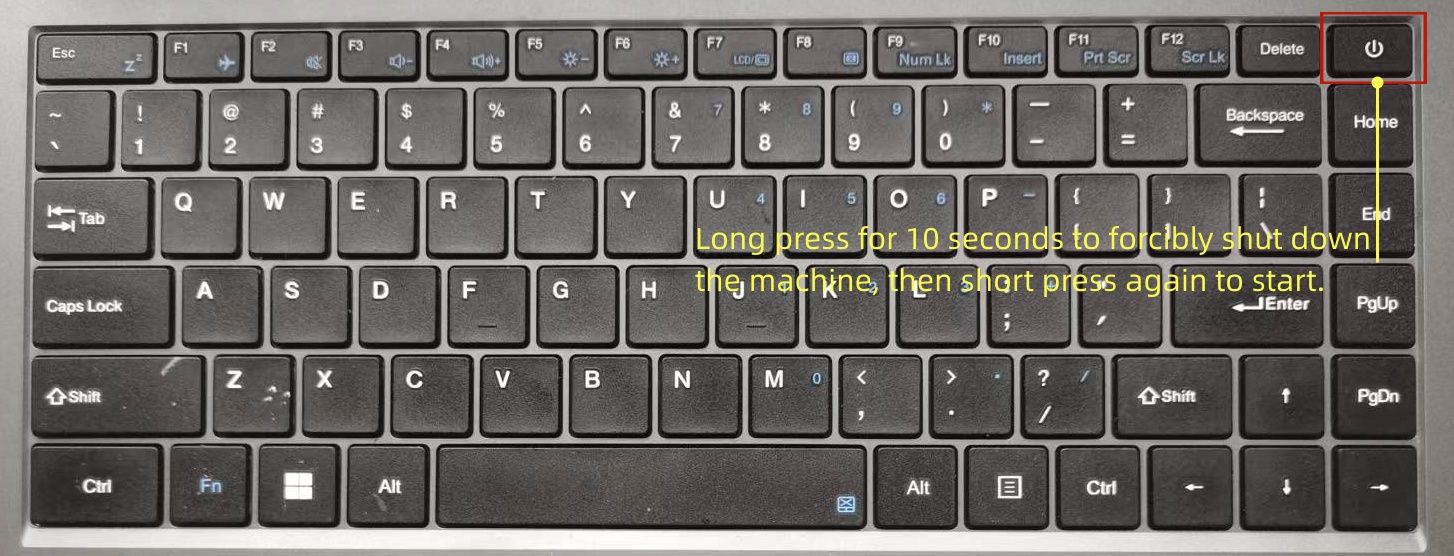
Follow the three steps shown in the figure to burn the image file. After the burning is completed, a forced restart is required. The method of forced power down is to continue holding down the power button for 10 seconds.
After downloading, restart the machine as shown in the following figure.
Update kernel
The kernel of Coolpi will continue to be updated, and users can also compile the mainline kernel themselves to upgrade the machine, following the steps below. The compilation of the kernel part in the following figure is completed on the Coolpi laptop, and users can also cross compile on the X86 computer. The method and steps are the same.
Synchronize kernel
sudo apt-get update
sudo apt-get upgrade
sudo apt-get install git
git clone https://github.com/yanyitech/coolpi-kernel.git
Compile kernel
First, install the git toolkit, and it is best to update the system to the latest version before installation. Install some kernel dependent packages, then run the compilation script, enter numbers to select the corresponding machine model, and the compilation can proceed normally.
sudo apt-get install flex bison libssl-dev
sudo ln -s /usr/bin/python3.10 /usr/bin/python
cd coolpi-kernel
./build-kernel.sh
Welcome to using Coolpi Development Board!
------------------------------------------
Please enter a number to select your machine

1. cp4b
2. cp4b-hdmi-in
3. cm5-evb
4. cm5-evb-v11
5. cm5-minipc
6. cm5-notebook
7. cm5-notebook-v20
8. cm5-8uart
9. cpnano
10. exit

Enter option number: 7
Upgrade machine kernel
After the normal compilation of the kernel, an out folder will be generated with the directory, which contains all the files required by the kernel. You can update the newly compiled kernel to the machine by using the following command.
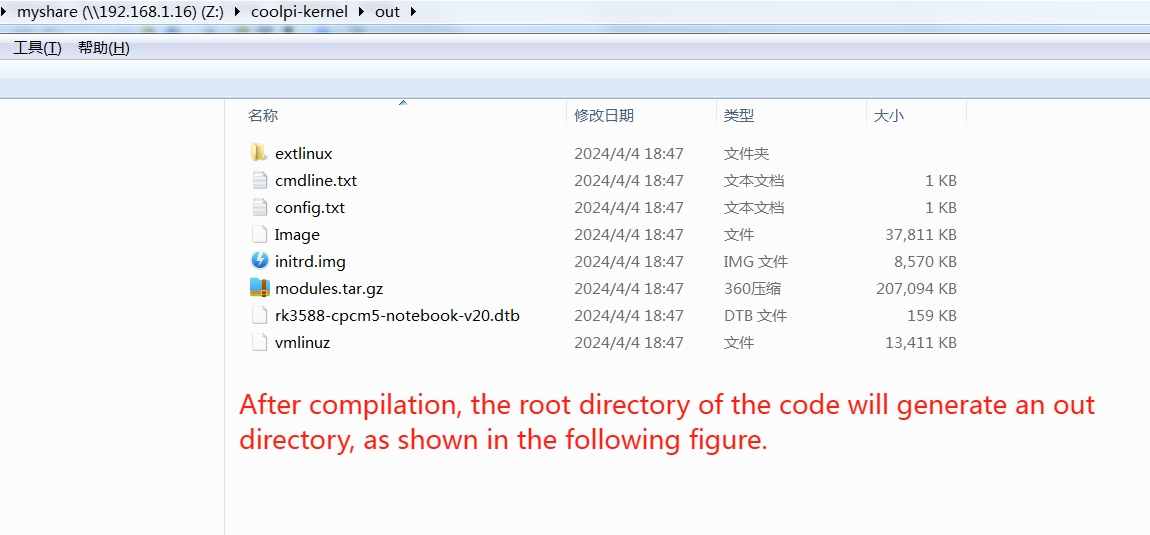
Use the following command to update the kernel.sudo cp ./out/* /boot/firmware -R sudo rm /lib/modules/* -R sudo tar -zxvf ./out/modules.tar.gz -C /lib/ sync sudo rebootIf the kernel was cross compiled using X86 machines, the kernel can be updated using the following methods:
- Use the Samba shared folder to copy the compiled files to the Coolpi machine.
- Use mobile storage devices such as USB drives to copy.
- The coolpi machine enters UMS mode, connects to the X86 computer, enters the USM mobile disk, deletes all files, and copies all files in the generated out directory to the UMS mobile disk. Then force a restart of the Coolpi laptop.
Change the startup logo
Users can update the startup logo of the machine by copying files, using the following command.
sudo cp ./logo.bmp /boot/firmware
sync
sudo reboot
Below is a standard format for a logo file that users can download and modify. Please note that the pixel size, name, and format of the file should not be changed.
logo.zipFrequently asked questions
The machine cannot enter UMS mode
Due to incomplete image updates, the partition table of EMMC is damaged, and the machine cannot enter UMS burning mode. The following methods can be used to repair the EMMC partition table.
- A USB interface mobile storage device with a capacity of no less than 16GB, and an X86 computer can burn any image to the USB device through ETCHER software.
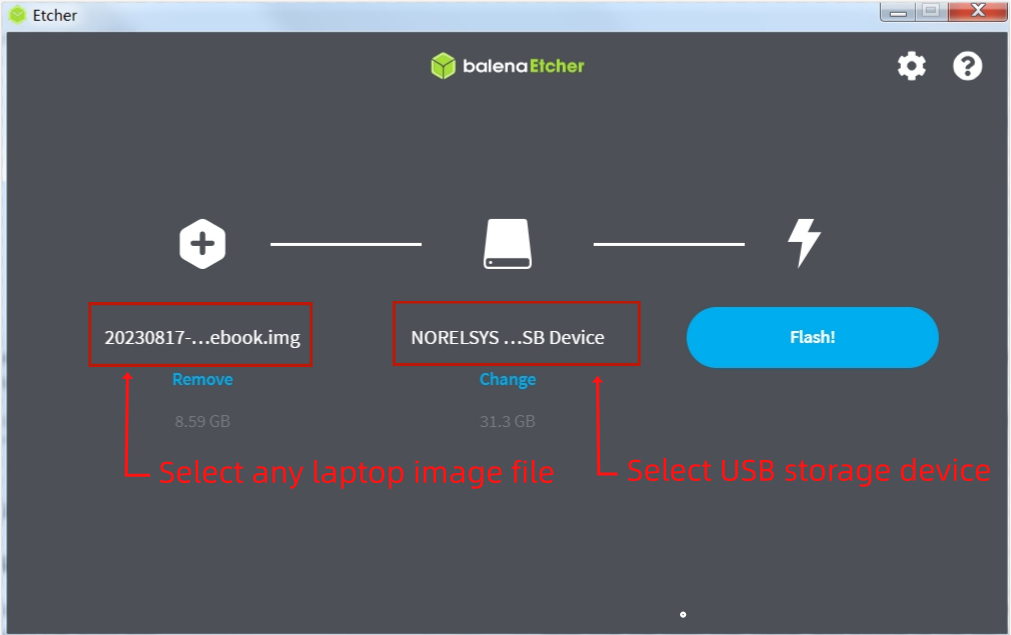
- Insert USB storage device into the USB interface of the Coolpi laptop
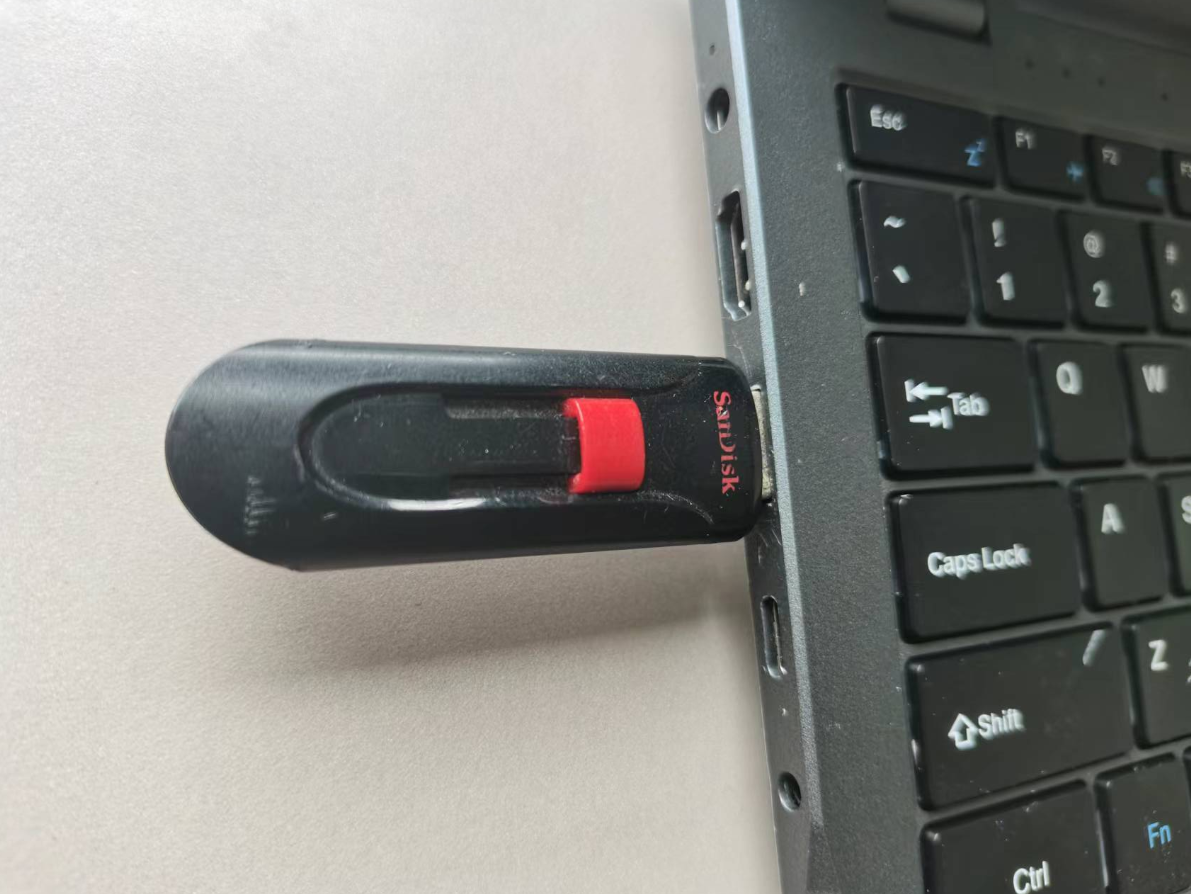
- The machine will first start from the USB storage device when turned on. Then enter the system. Format EMMC using the following command.
sudo mkfs.ext4 /dev/mmcblk0