@zehui
The image package we released has already installed the GPU driver by default. Regarding the issue of video playback lag, it has nothing to do with the GPU driver, mainly the VPU. Our image has integrated ffmpeg hardware decoding driver, which can support local video hardware decoding. If it is a network video, due to the system's default browser using snap mode, the hardware decoder cannot be called and can only be decoded through CPU software, resulting in lower smoothness and power consumption.
G
Posts
-
RE: COOLPI notebook GPU accelerationposted in PI CM5 Laptop
-
RE: Ubuntu Kernel 6.1.75, no wireguard or openvpn modulesposted in PI CM5 Laptop
@Momo-0
Using the kernel at the following address, after compilation, headers. tar. gz will be generated, and then decompressed to the/usr directory.
https://github.com/coolpi-george/coolpi-kernel -
RE: Power input failureposted in PI CM5 Laptop
@enok71
I don't have a direct understanding of what happened to this computer, why does it seem to have so many impurities inside.
If you need any information, please send an email to george@cool-pi.com -
TM-CP1B Industrial LoRa / 4G Smart Gatewayposted in Pi Gateway CP1B/CP2B/CP3B/CP3B-P
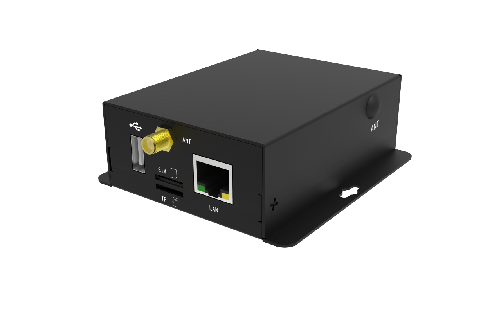
Introduction
The TM-CP1B is a compact industrial DTU modem for data acquisition, Modbus Gateway, and communication applications. It comes with 1 x RS485 、 1 x RS232 serial ports and 1x 10/100 Mbps Ethernet port, as well as a built-in socket to support 4G LTE、WIFI and LoRa cellular modules.
Brief introduction
- Cortex A7 + MCU + NPU 0.5 TOPS,1.6 GHz CPU
- 256MB RAM + 8GB eMMC, supports Micro SD expansion
- Ubuntu 24.04 server and Cockpit management software
- Isolate RS232 / RS485 serial port, Vrms>3.5KV
- 10M/100M adaptive Ethernet
- Built in high reliability security chip (ATSHA204A)
- Built in Mini-PCIe slot for 4G cellular module (Optional)
- Built in LoRa (410~525MHz, 850~931MHz, 126mW) (Optional)
- Built in wireless network WIFI/BT module (Optional)
- Built in RTC clock circuit
- 35mm DIN-Rail and wall mount Supported
- 9--36V wide voltage supply
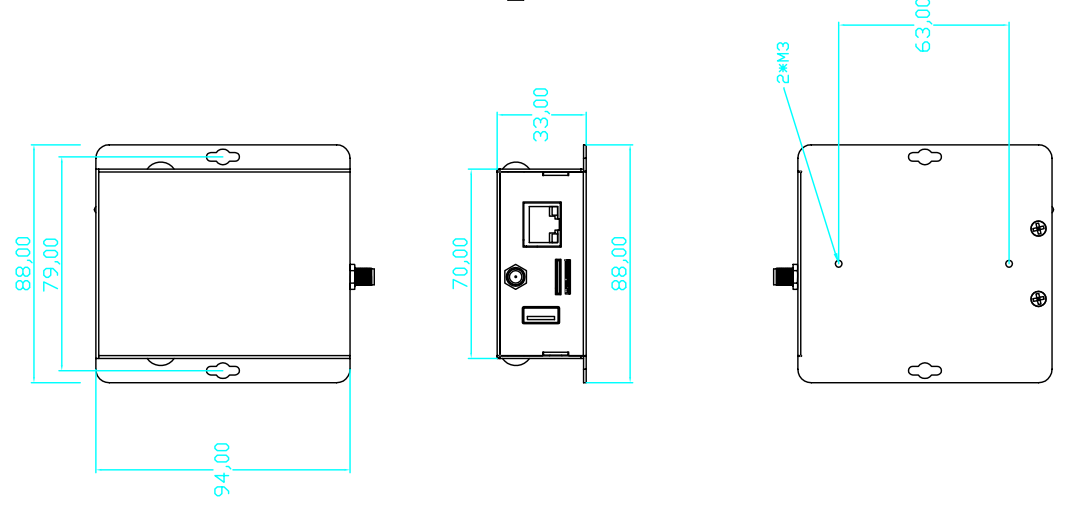
- 94mm×70mm×33mm (L×W×H)
- -40°C to +85°C Operating Temperature
Interface
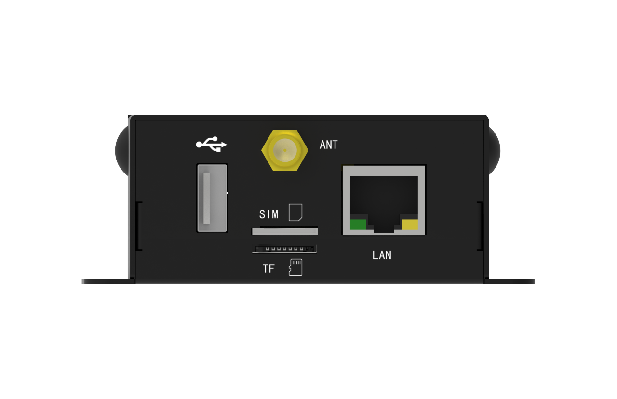
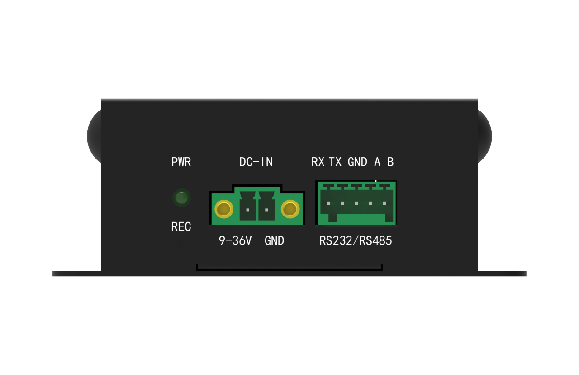
Specifications
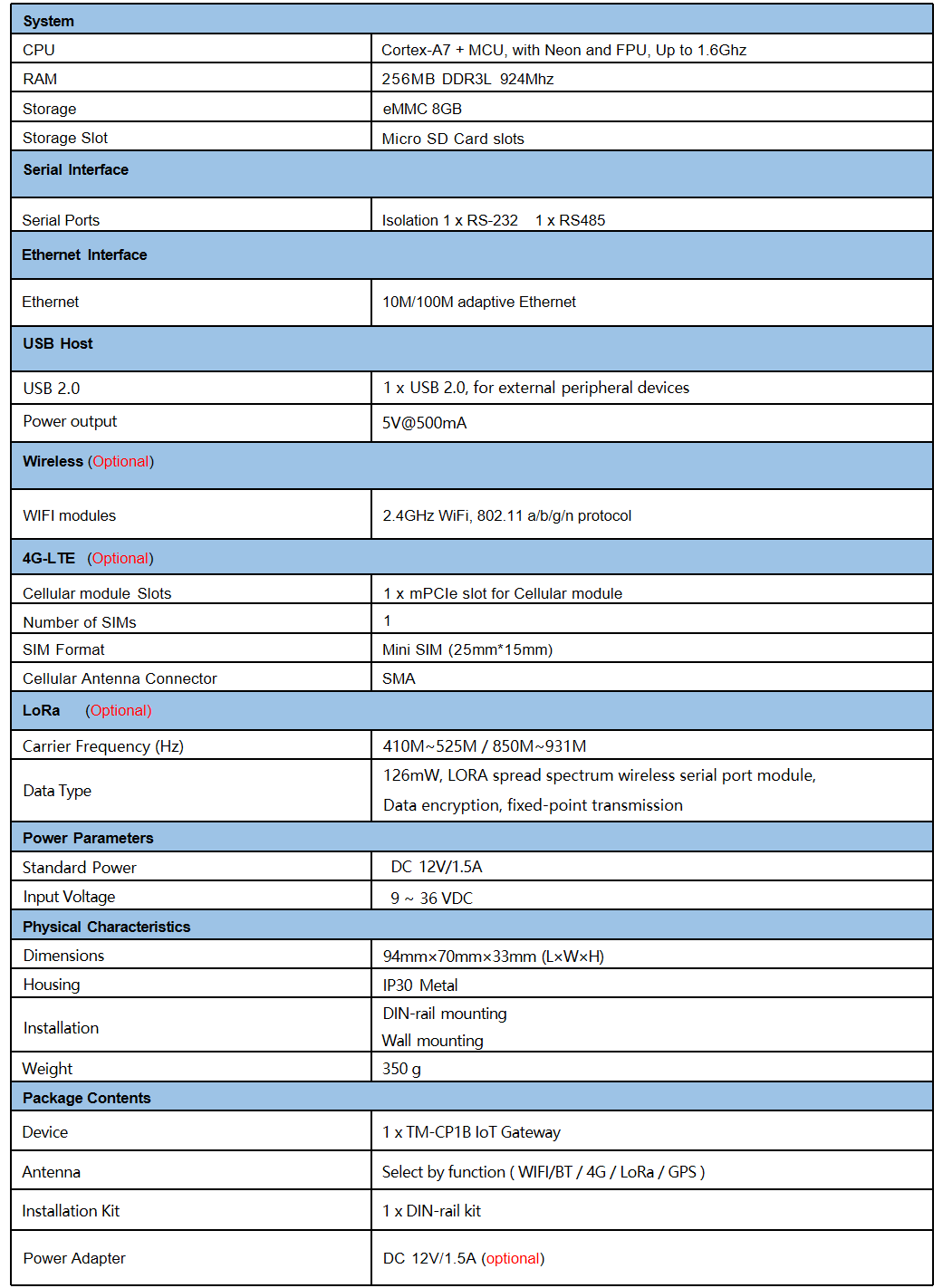
Dimensions
-
RE: GenBook-RK3588 Crowdfunding projectsposted in PI CM5 Laptop
@reukiodo
Hardware versions after V20 can support TYPEC PD charging, but it can only be used when turned on, and only supports adapter charging when turned off. -
RE: Ubuntu application software organizationposted in PI CM5 Laptop
@plumlis
Thank you very much for your recommendation, there are many very good applications. -
Ubuntu application software organizationposted in PI CM5 Laptop
-
WCHAT
https://cool-pi.com/topic/630/cm5-laptop-install-wchat?_=1727100045659 -
QQ
https://im.qq.com/linuxqq/download.html
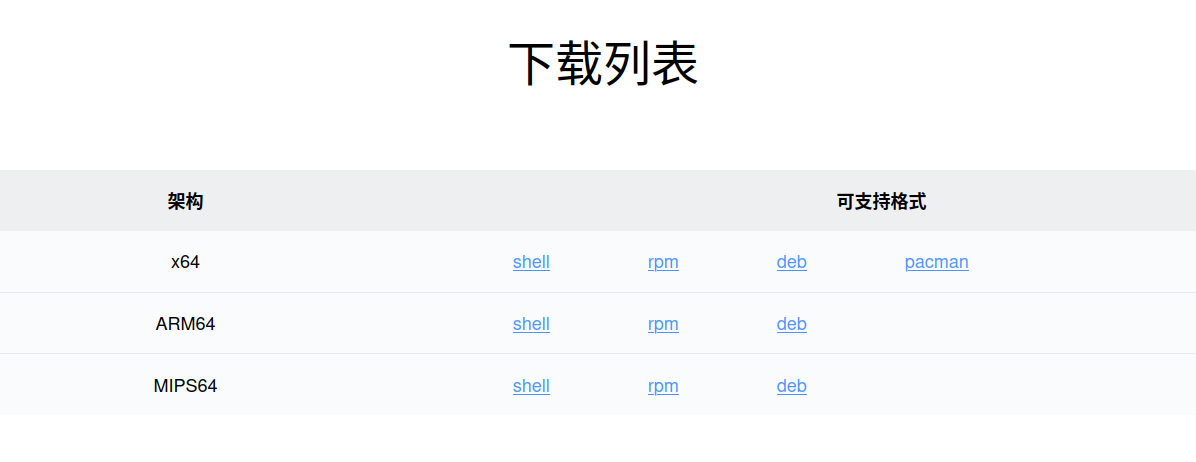
Select arm64 version, download the installation package in deb format, and then use the following command to install:sudo dpkg -i *.deb -
WPS
The WPS official website has removed the installation package for ARM64 architecture, which can be downloaded and installed through Baidu Cloud or OneDrive. -
VSCODE
https://code.visualstudio.com/Download#
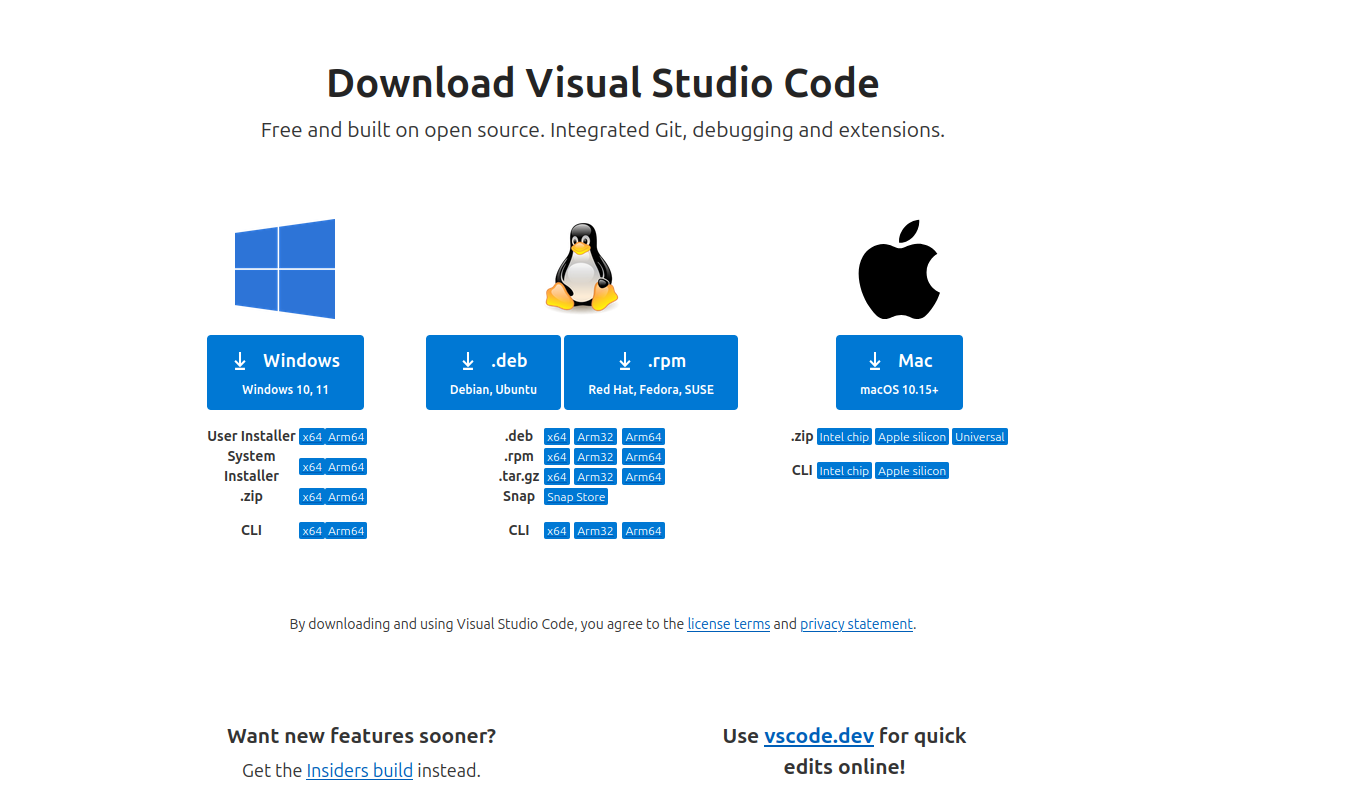
Select arm64 version, download the installation package in deb format, and then use the following command to install:sudo dpkg -i *.deb -
向日葵
https://sunlogin.oray.com/download/linux?type=ent
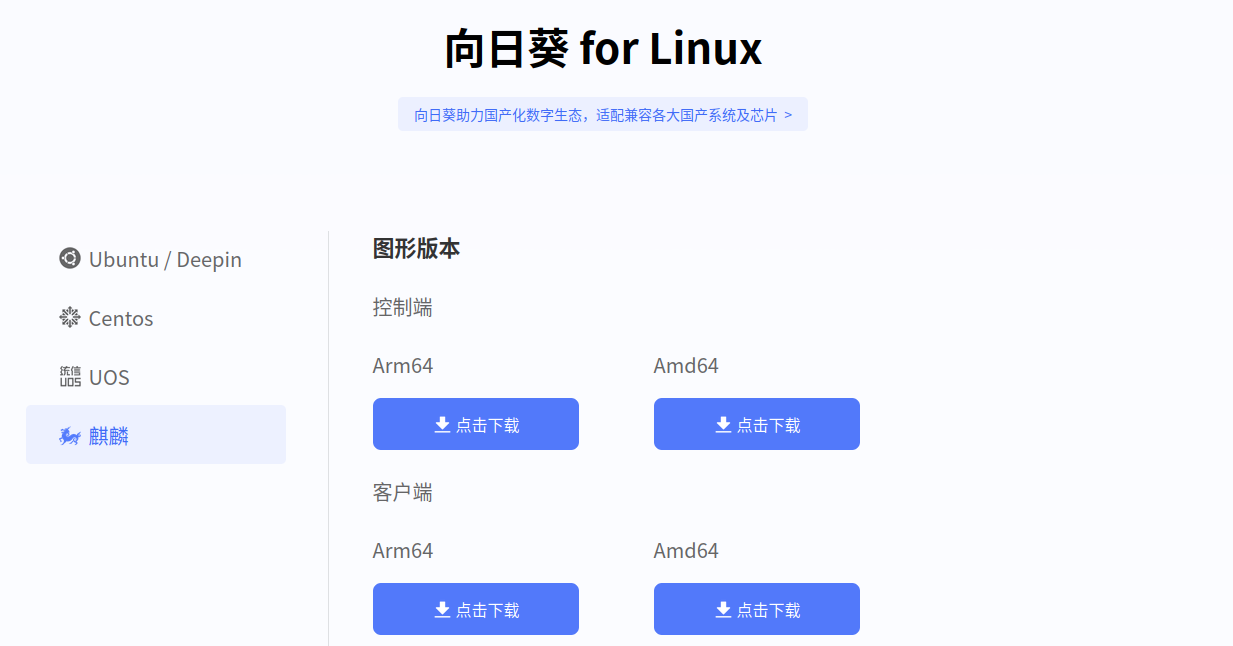
Select arm64 version, download the installation package in deb format, and then use the following command to install:sudo dpkg -i *.deb -
KICAD
Install directly using the following command :sudo dpkg -i kicad*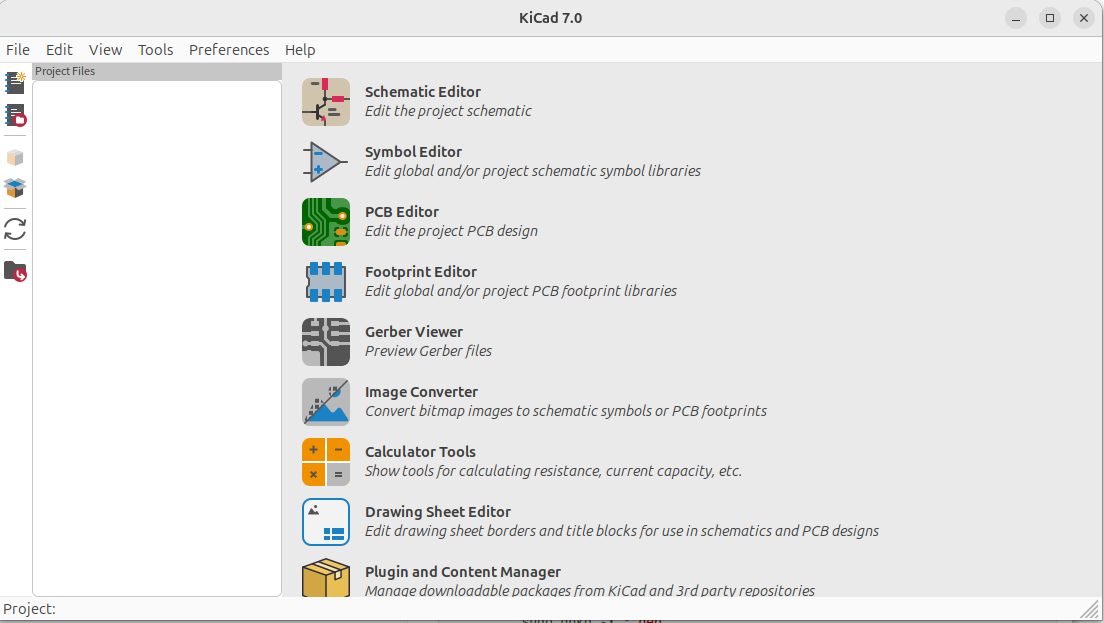
-
-
cm5 laptop install wchatposted in PI CM5 Laptop
-
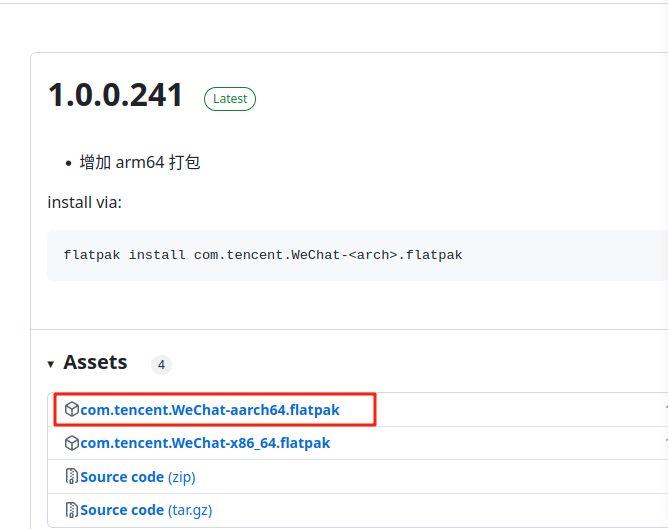
Open the following address and download the file with the. flatpak suffix.
https://github.com/web1n/wechat-universal-flatpak/releases
Select the following aarch64 version
-
Right click on the download directory and open the terminal, enter the following command to install flatpak
sudo apt-get install flatpak -
Enter the following command to configure
sudo flatpak remote-add --if-not-exists --system flathub https://flathub.org/repo/flathub.flatpakrepo -
Enter the following command to install WeChat
flatpak install com.tencent.WeChat.flatpak -
Copy icon
sudo cp /var/lib/flatpak/app/com.tencent.WeChat/current/active/export/share/ applications/com.tencent.WeChat.desktop /usr/share/applications/ sudo cp -R /var/lib/flatpak/app/com.tencent.WeChat/current/active/export/share/icons/hicolor/* /usr/share/icons/hicolor/ -
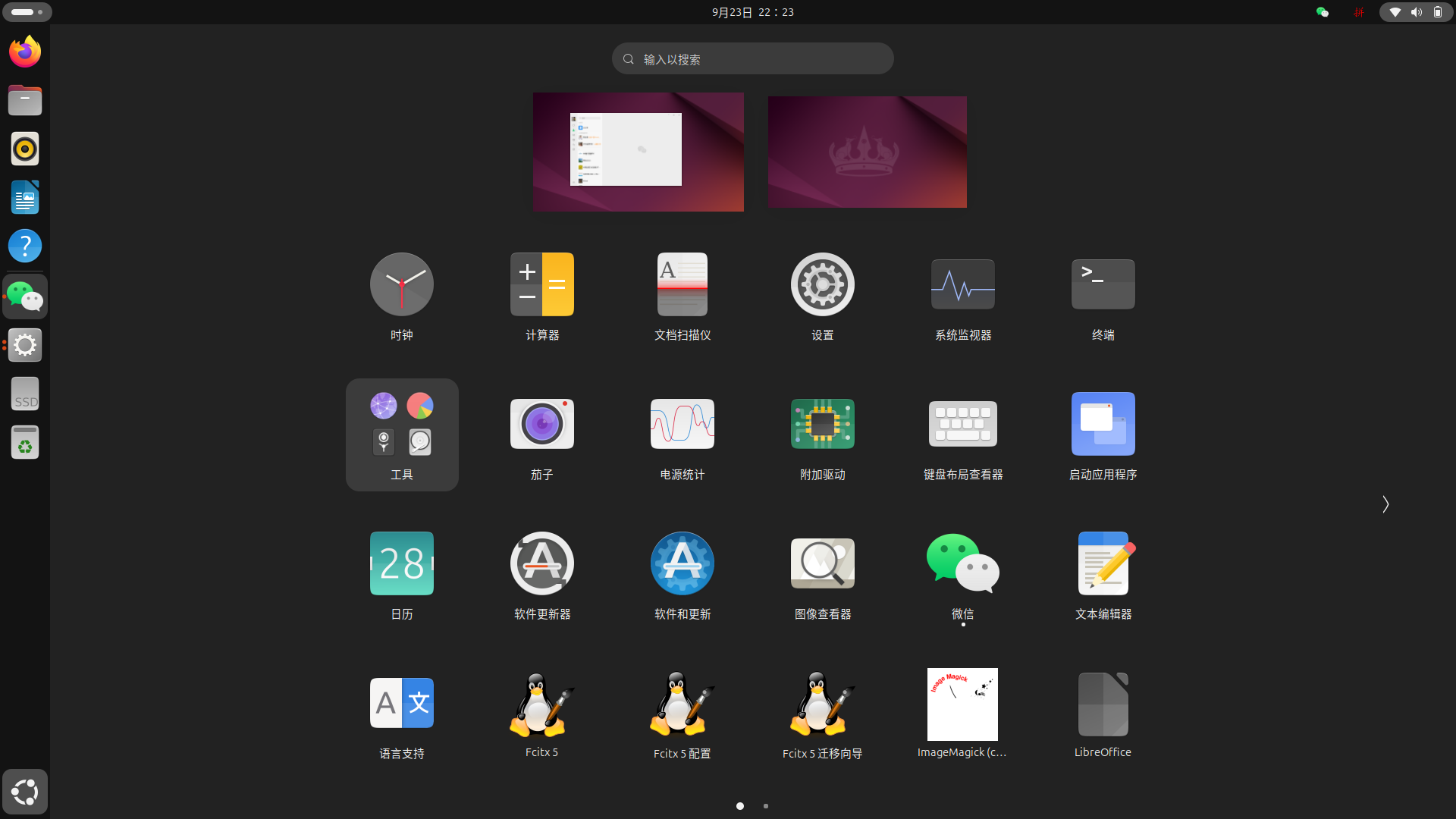
Preview
-
-
RE: laptop not booting with latest image.posted in PI CM5 Laptop
@Momo-0
If the firmware of Ubuntu is created on a USB drive and then inserted into a computer, can it boot up? -
RE: laptop not booting with latest image.posted in PI CM5 Laptop
@Momo-0
Can the machine enter UMS mode? If it can enter UMS mode, you can first try formatting the UMS disk, and then use Ethcer to load the latest image and flash the machine.Refer to the following document.
https://cool-pi.com/topic/514/cool-pi-cm5-laptop-linux-quick-start-guide -
RE: Cool pi 4B & CM5 探索快速安装系统新方法posted in Maker
@jugg
你是要用U盘刷机吗?最近的镜像是IMG文件,只能使用USB接口连接电脑,通过etcher刷机。 -
RE: laptop not booting with latest image.posted in PI CM5 Laptop
@winger
First, create the image on a USB flash drive using the etcher tool, then insert it into the computer. The computer will prioritize booting from the USB flash drive. After booting, use the following command to format the EMMCsudo mkfs.ext4 /dev/mmcblk0 -
RE: 如何恢复系统posted in PI CM5 Laptop
@winger
找个U盘,先把镜像制作到U盘,插入电脑启动以后,使用如下命令格式化EMMCsudo mkfs.ext4 /dev/mmcblk0 -
RE: Purchase Components onlyposted in PI CM5 Laptop
@Eel
There is currently no separate purchase link for the casing of this machine. If any part of your machine is damaged, you can send it out and I can coordinate with the factory to see if it can be shipped separately.