@george
这样在板子上播出来的是单声道的 就是只有一个耳机有声音 另外一个没有或者是声音非常小
这样的音频线
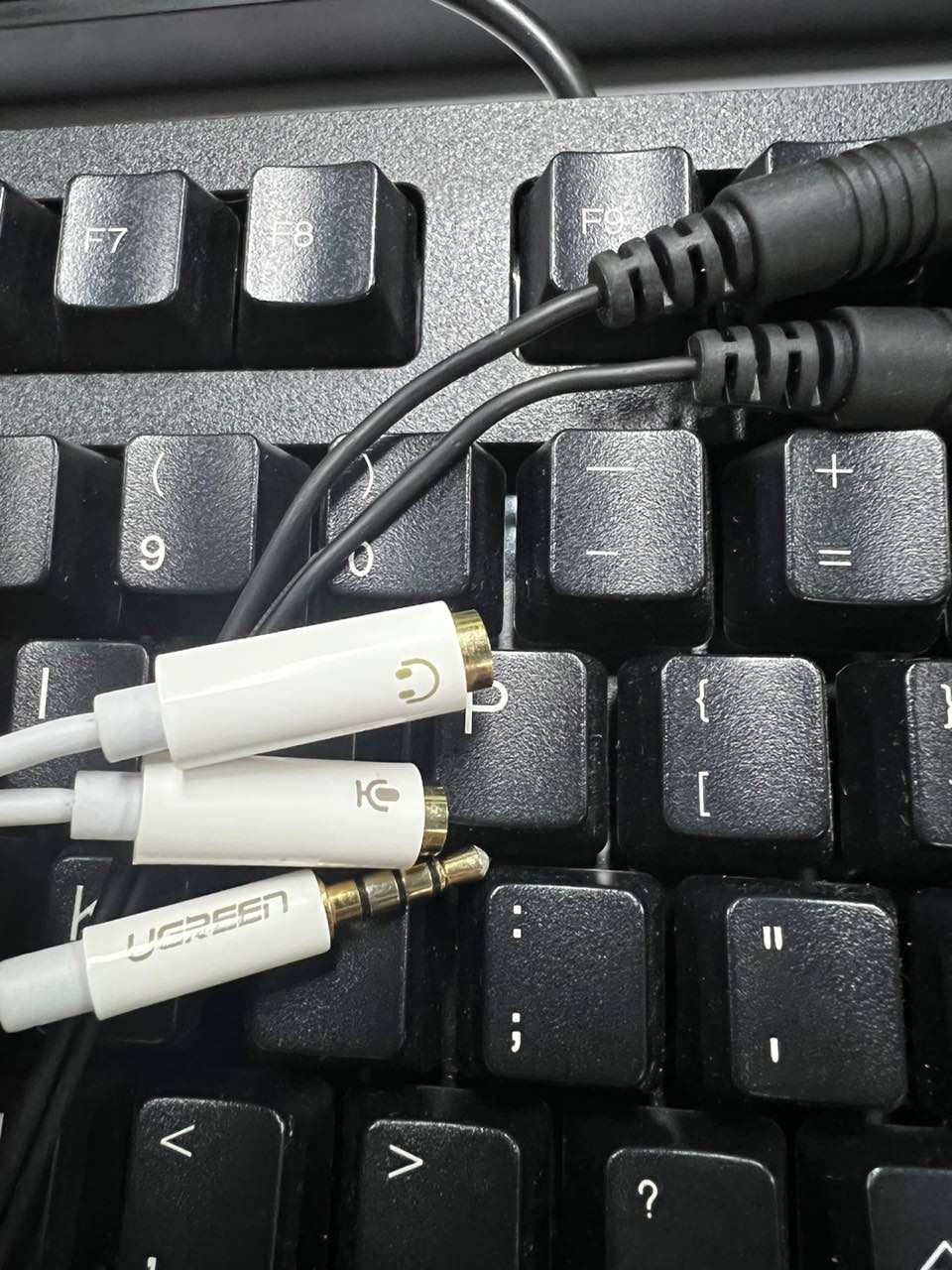
但是把文件放电脑上用耳机听 左右声道都有声音
J
Posts
-
RE: 录音posted in Pi 4B
-
RE: Cool pi 4B & CM5 探索快速安装系统新方法posted in Maker
@jack_admin
除了刚刚做好的安装U盘能刷系统外
替换了install目录里面的文件 它就直接进系统了 -
RE: Cool pi 4B & CM5 探索快速安装系统新方法posted in Maker
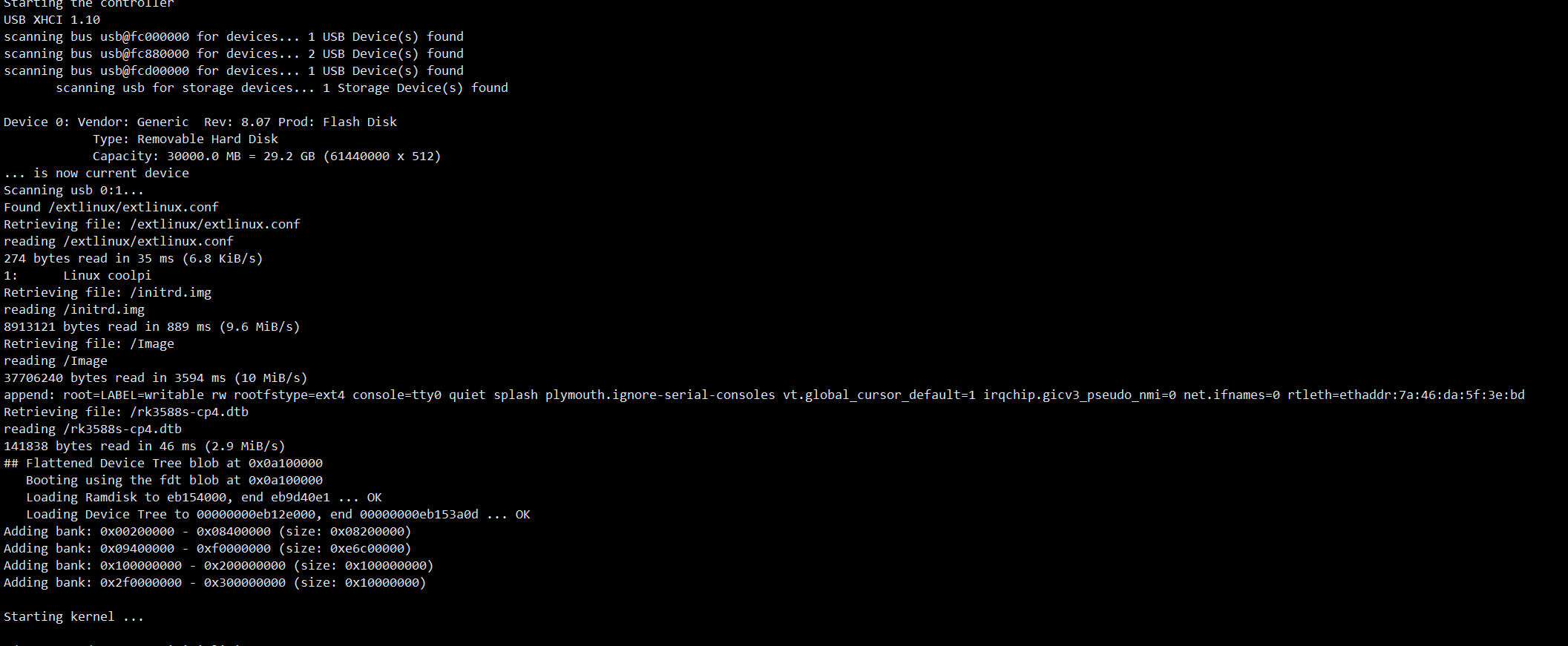
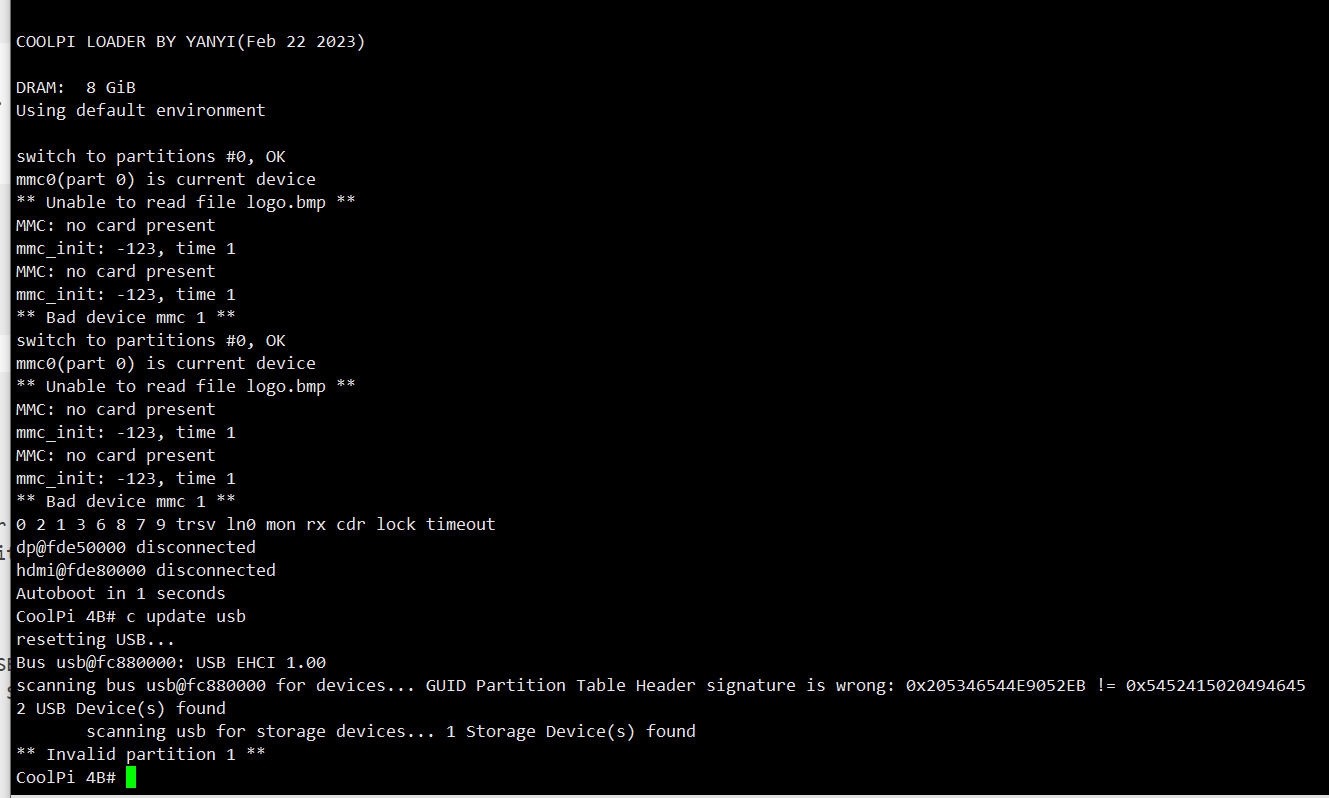
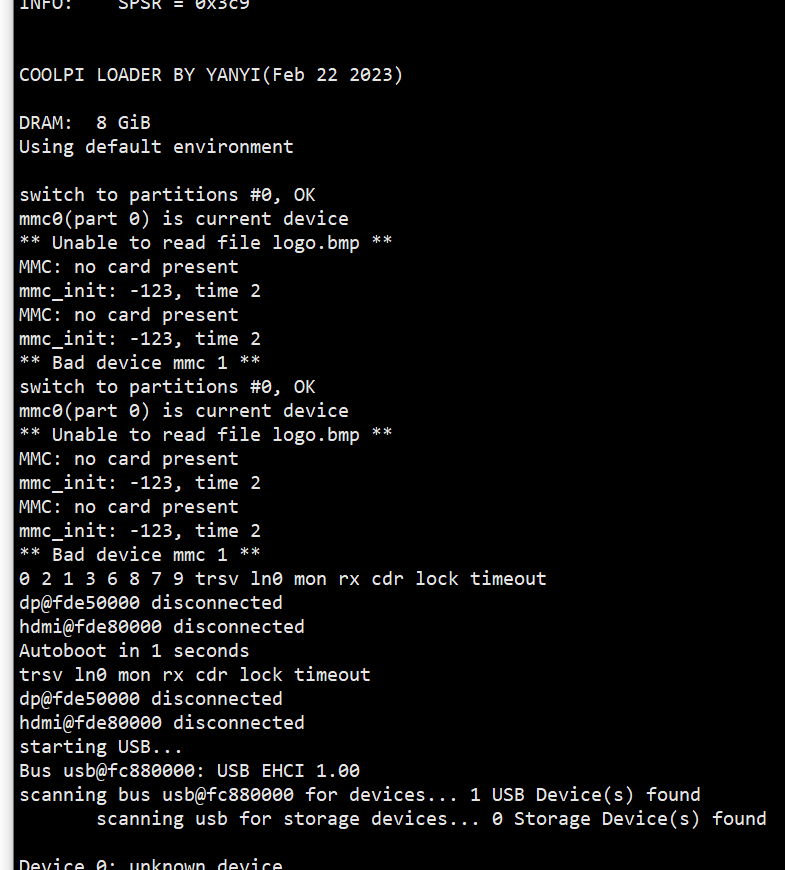
COOLPI LOADER BY YANYI(Feb 22 2023)

DRAM:  8 GiB
Using default environment

switch to partitions #0, OK
mmc0(part 0) is current device
** Unable to read file logo.bmp **
MMC: no card present
mmc_init: -123, time 2
MMC: no card present
mmc_init: -123, time 2
** Bad device mmc 1 **
switch to partitions #0, OK
mmc0(part 0) is current device
** Unable to read file logo.bmp **
MMC: no card present
mmc_init: -123, time 2
MMC: no card present
mmc_init: -123, time 2
** Bad device mmc 1 **
0 2 1 3 6 8 7 9 trsv ln0 mon rx cdr lock timeout
dp@fde50000 disconnected
hdmi@fde80000 disconnected
Autoboot in 1 seconds
trsv ln0 mon rx cdr lock timeout
dp@fde50000 disconnected
hdmi@fde80000 disconnected
starting USB...
Bus usb@fc880000: USB EHCI 1.00
scanning bus usb@fc880000 for devices... 1 USB Device(s) found
       scanning usb for storage devices... 0 Storage Device(s) found

Device 0: unknown device
MMC: no card present
mmc_init: -123, time 2
switch to partitions #0, OK
mmc0(part 0) is current device
Scanning mmc 0:1...
Found /extlinux/extlinux.conf
Retrieving file: /extlinux/extlinux.conf
reading /extlinux/extlinux.conf
285 bytes read in 4 ms (69.3 KiB/s)
1:	Linux coolpi
Retrieving file: /initrd.img
reading /initrd.img
8775086 bytes read in 51 ms (164.1 MiB/s)
Retrieving file: /Image
reading /Image
37706240 bytes read in 212 ms (169.6 MiB/s)
append: root=LABEL=writable rw rootfstype=ext4 console=ttyS0,115200n81 quiet splash plymouth.ignore-serial-consoles vt.global_cursor_default=1 irqchip.gicv3_pseudo_nmi=0 net.ifnames=0 rtleth=ethaddr:7a:46:da:5f:3e:bd
Retrieving file: /rk3588s-cp4.dtb
reading /rk3588s-cp4.dtb
141838 bytes read in 5 ms (27.1 MiB/s)
## Flattened Device Tree blob at 0x0a100000
   Booting using the fdt blob at 0x0a100000
   Loading Ramdisk to eb176000, end eb9d45ae ... OK
   Loading Device Tree to 00000000eb150000, end 00000000eb175a0d ... OK
switch to partitions #0, OK
mmc0(part 0) is current device
** Unable to read file logo_kernel.bmp **
MMC: no card present
mmc_init: -123, time 2
MMC: no card present
mmc_init: -123, time 2
** Bad device mmc 1 **
switch to partitions #0, OK
mmc0(part 0) is current device
** Unable to read file logo_kernel.bmp **
MMC: no card present
mmc_init: -123, time 2
MMC: no card present
mmc_init: -123, time 2
** Bad device mmc 1 **
Adding bank: 0x00200000 - 0x08400000 (size: 0x08200000)
Adding bank: 0x09400000 - 0xf0000000 (size: 0xe6c00000)
Adding bank: 0x100000000 - 0x200000000 (size: 0x100000000)
Adding bank: 0x2f0000000 - 0x300000000 (size: 0x10000000)

Starting kernel ...

I/TC: Secondary CPU 4 initializing
I/TC: Secondary CPU 4 switching to normal world boot
I/TC: Secondary CPU 5 initializing
I/TC: Secondary CPU 5 switching to normal world boot
I/TC: Secondary CPU 6 initializing
I/TC: Secondary CPU 6 switching to normal world boot
I/TC: Secondary CPU 7 initializing
I/TC: Secondary CPU 7 switching to normal world boot
I/TC: Secondary CPU 1 initializing
I/TC: Secondary CPU 1 switching to normal world boot
I/TC: Secondary CPU 2 initializing
I/TC: Secondary CPU 2 switching to normal world boot
插了安装U盘 还是直接进系统了
-
RE: Cool pi 4B & CM5 探索快速安装系统新方法posted in Maker
@大法师
安装U盘和备份U盘都可以用
刚做好的安装U盘是可以刷系统 就是安装镜像里面的系统
备份u盘是可以备份系统 backup可以备份出系统
但是把备份U盘中backup文件夹的内容 拷贝到安装u盘的install文件夹中
安装U盘不能还原系统 -
RE: Cool pi 4B & CM5 探索快速安装系统新方法posted in Maker
@大法师
是不是新的系统备份出来的不能 旧的系统备份出来的才能还原
可以试试0613的系统备份出来的 能不能还原 -
RE: Cool pi 4B & CM5 探索快速安装系统新方法posted in Maker
@大法师
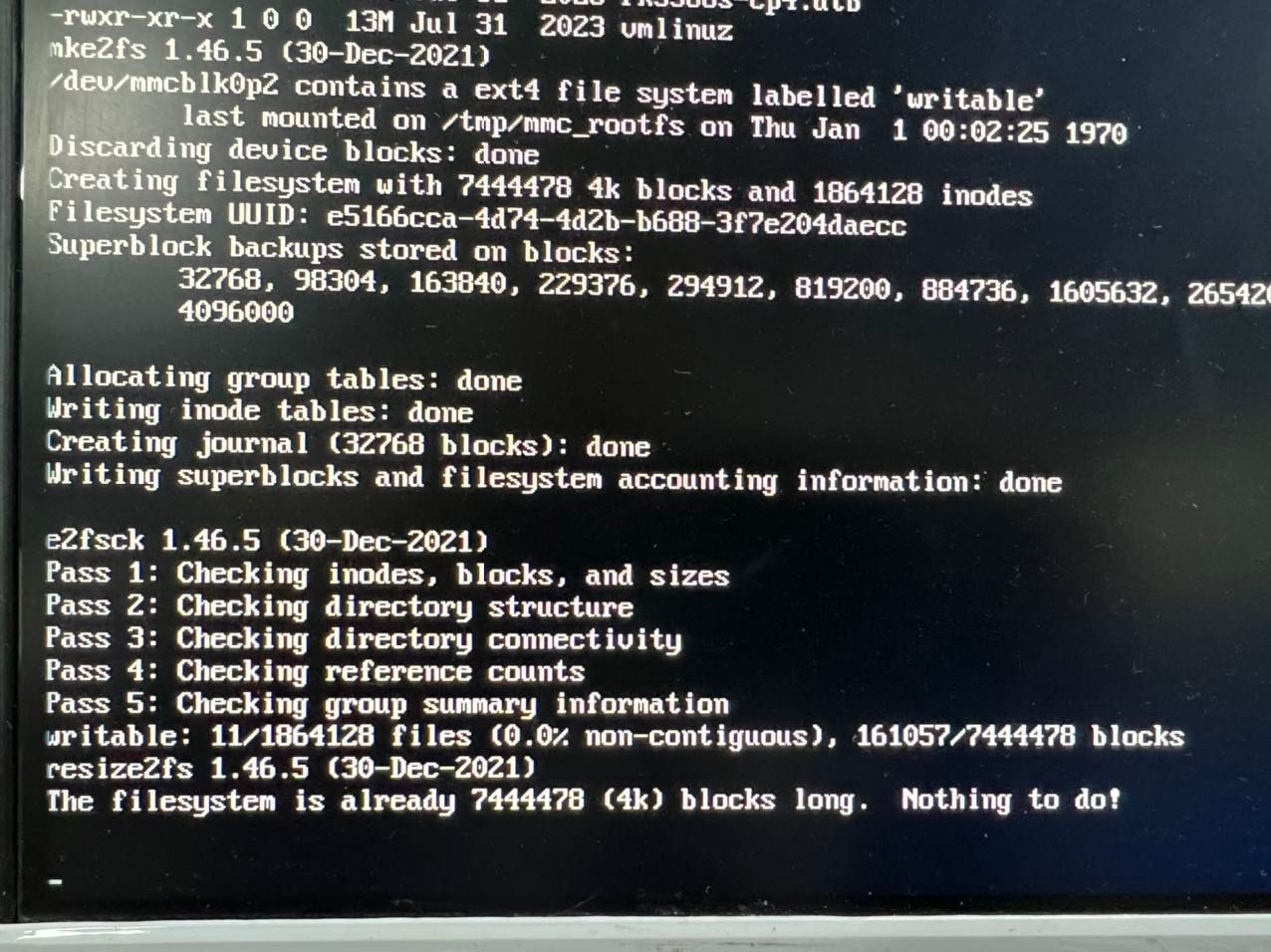
新做的安装盘可以刷系统
备份盘的backup更新到安装盘的install目录下 就刷不了系统 直接就进系统了
有没有详细操作过程 到底怎么操作才能保证能刷 -
ffmpeg编码器支持posted in Pi 4B
ffmpeg的编码是不是不支持mpp的h264、h265编码
我看了gst的是有mpph264enc
ffmpeg的就只有软编码
是不是没有集成进去